Understanding Wi-Fi 7 vs Wi-Fi 6/6e Basics
Wi-Fi 7 allows simultaneous associations to multiple radio bands out of the available three bands- 2.4 GHz, 5 GHz, 6 GHz.
Until Wi-Fi 6/6e, client stations could only associate to a single radio band—either 2.4 GHz, 5 GHz, or 6 GHz. In such cases band transition required band steering or a reassociation process which would essentially introduce delays.
WLAN configuration requirements (Wi-Fi 7 vs Wi-Fi 6e)
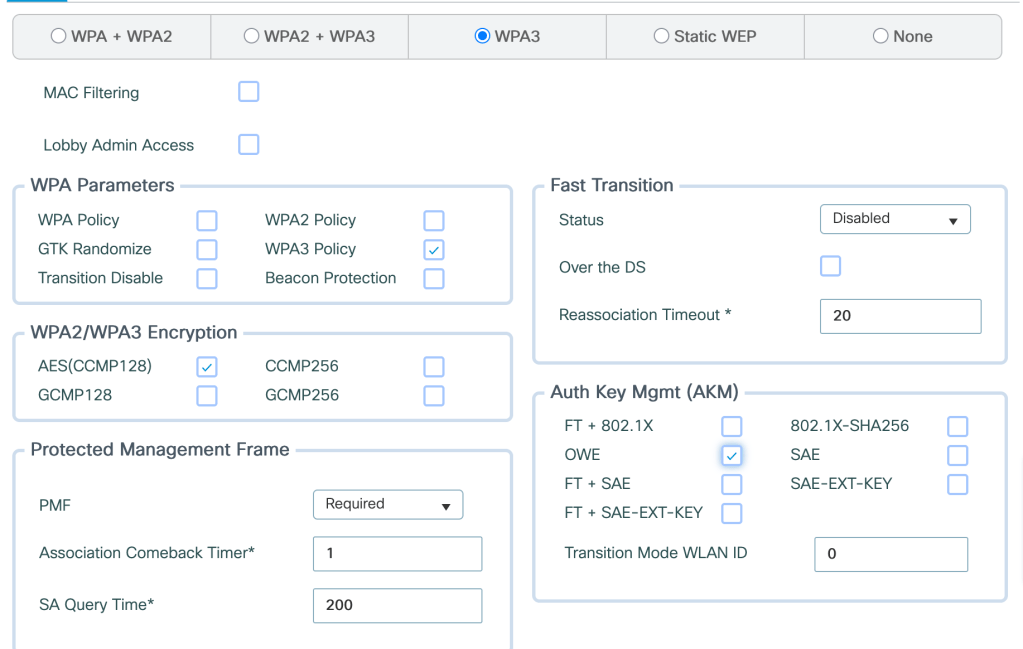
Wi-Fi 7 requires WPA 3 and GCMP 256 enabled on the WLAN. Wi-Fi 7 SS/MCS rates also need to be enabled under ‘High Throughput’
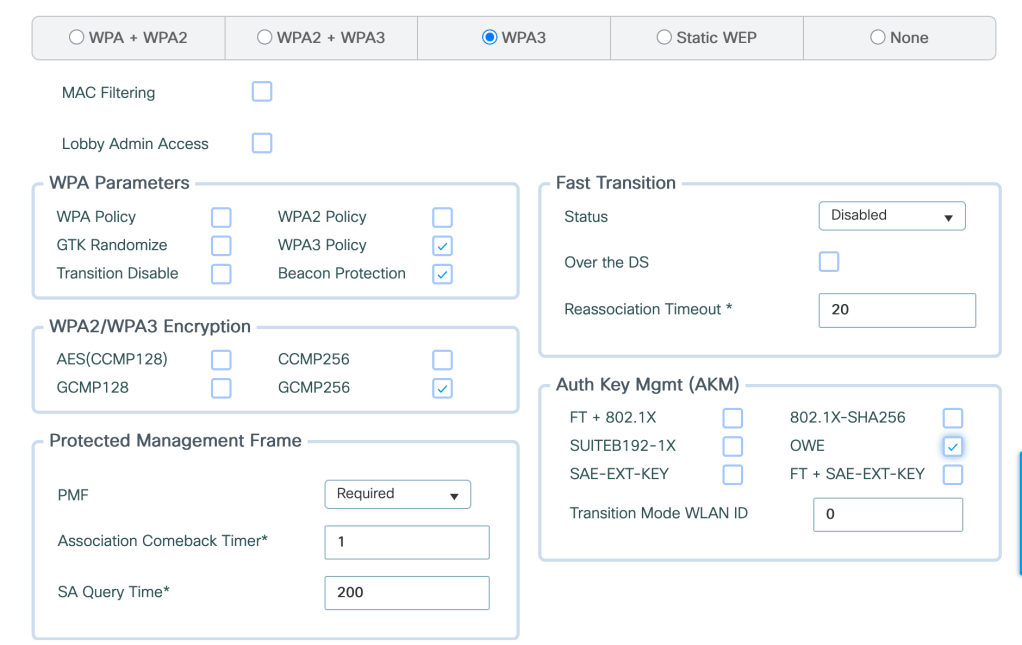
Wi-Fi 6e requires WPA3 enabled on the WLAN. Wi-Fi 6 SS/MCS rates also need to be enabled under ‘High Throughput’.
WLAN Capability (Wi-Fi 7 vs Wi-Fi 6/6e)
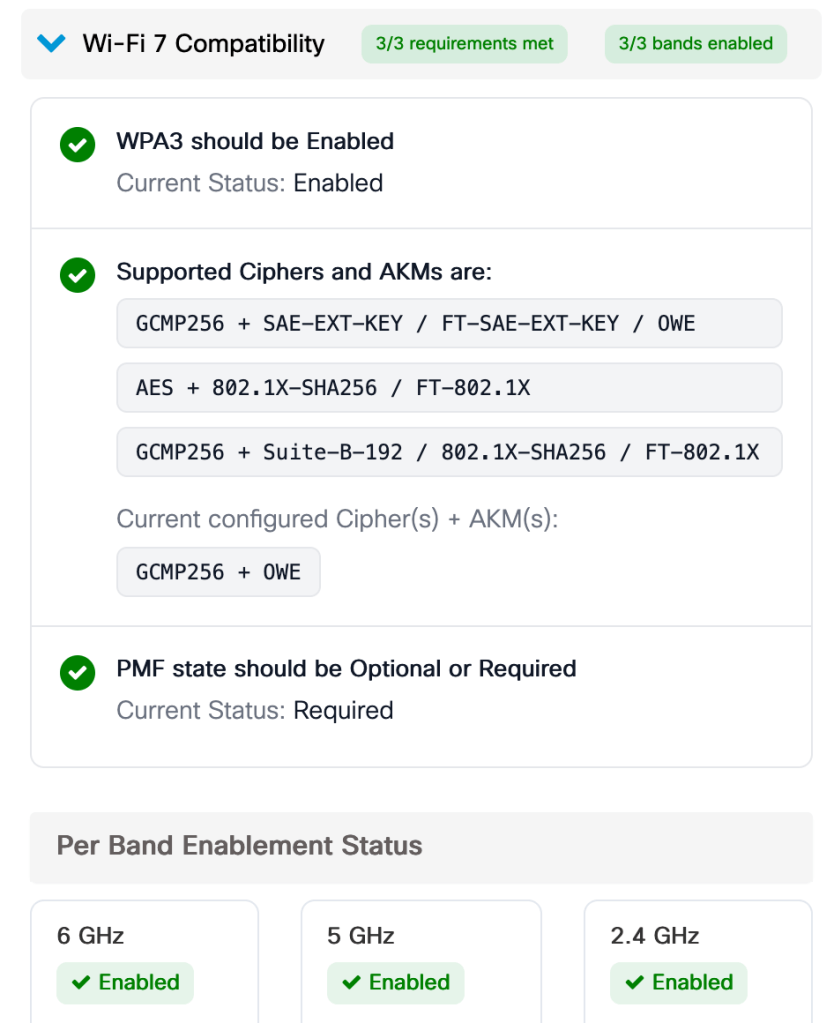
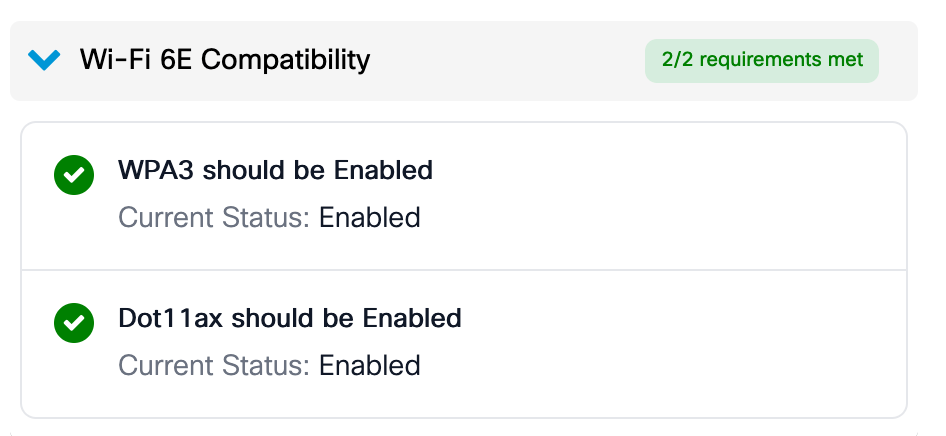
WLAN configuration allows you to verify if the WLAN is Wi-Fi 7/Wi-Fi 6e compatible based on the parameters defined in the WLAN configuration.
Client Association (Wi-Fi 7 vs Wi-Fi 6/6e)
Wi-Fi 7- Client will initiate association on one or more link.
Wi-Fi 6/6e- Client will initiate association with single link.
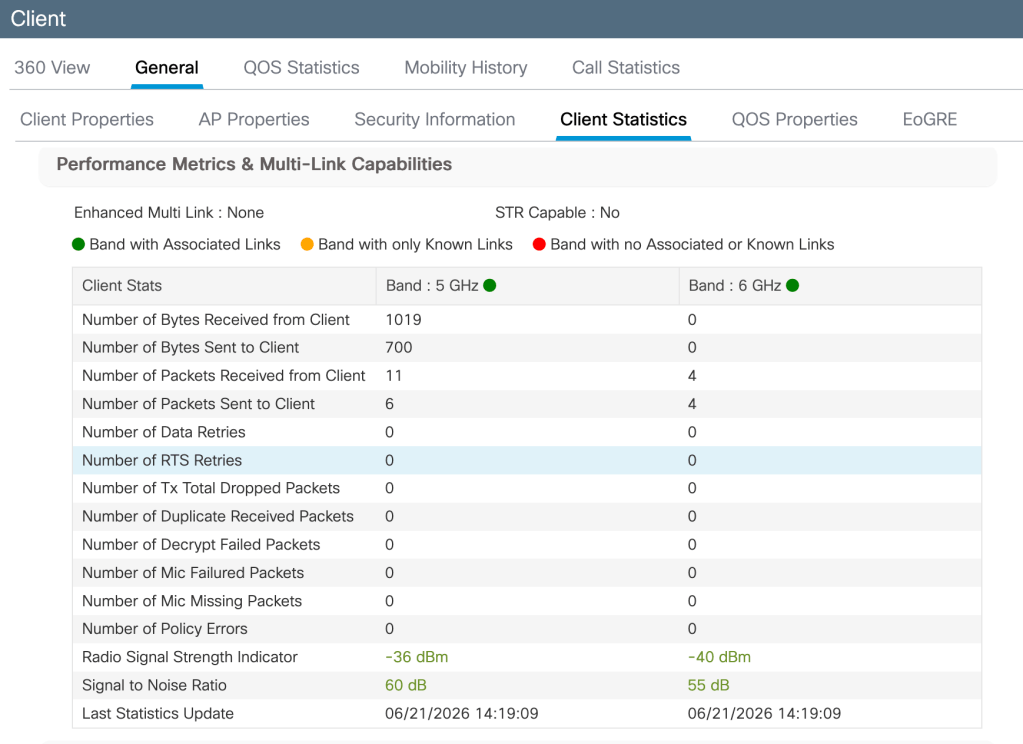
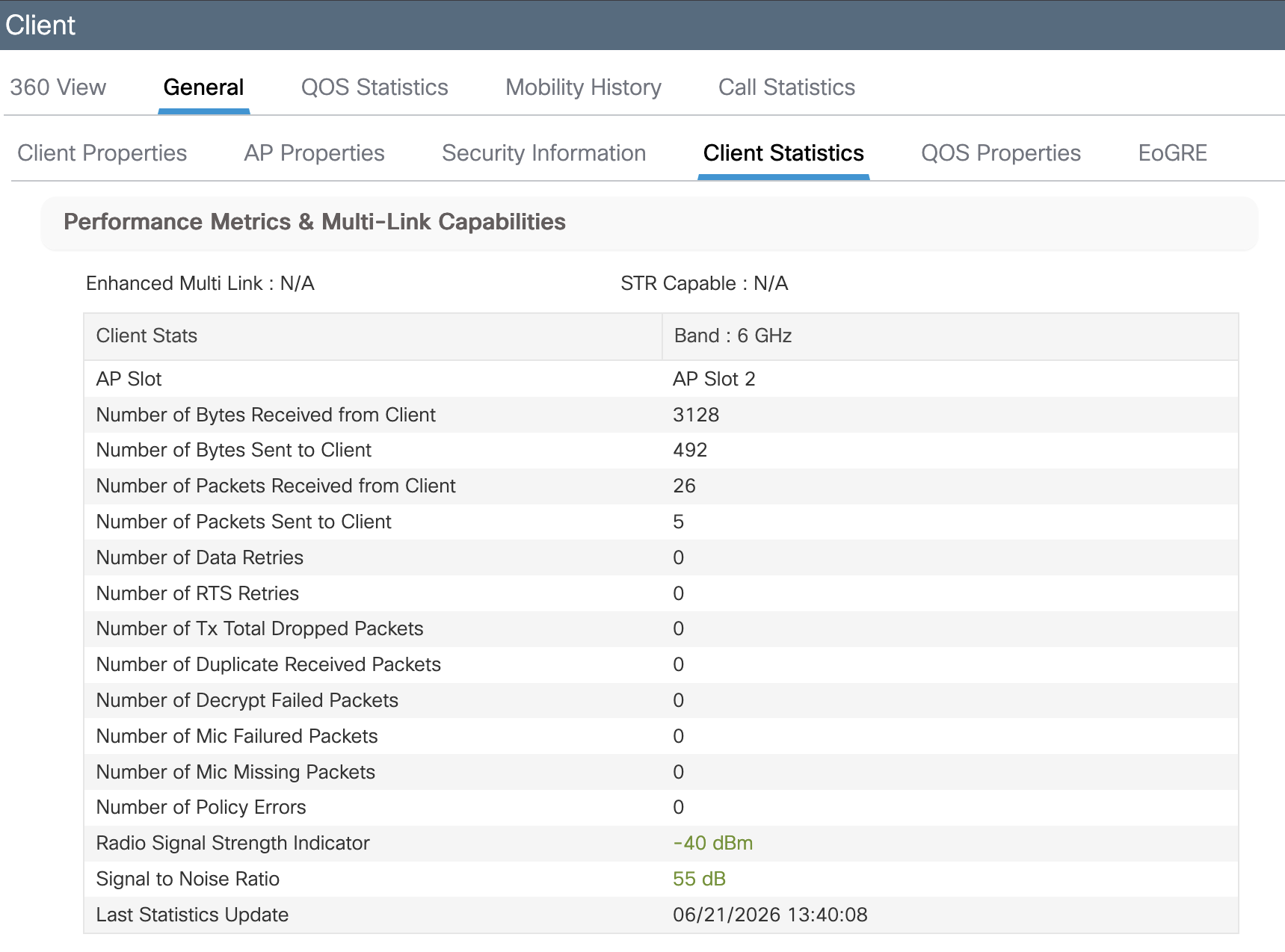
WLC Statistics (Wi-Fi 7 vs Wi-Fi 6/6e)
Wi-Fi 7- Client has established a link on both 5 GHz and 6 GHz.
Wi-Fi 6/6e- Client has established a link only on 6 GHz.
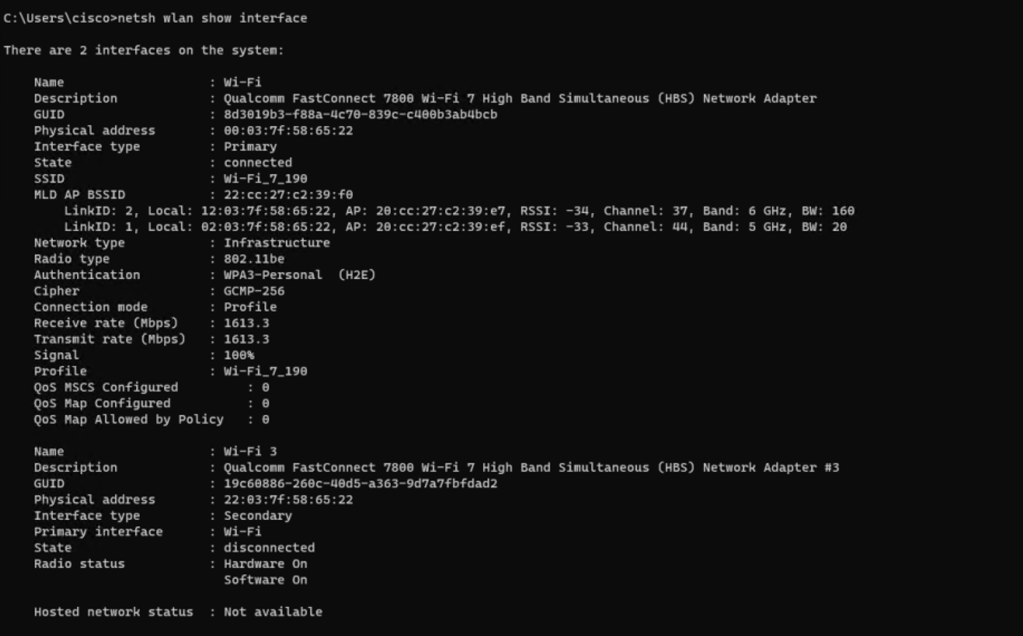
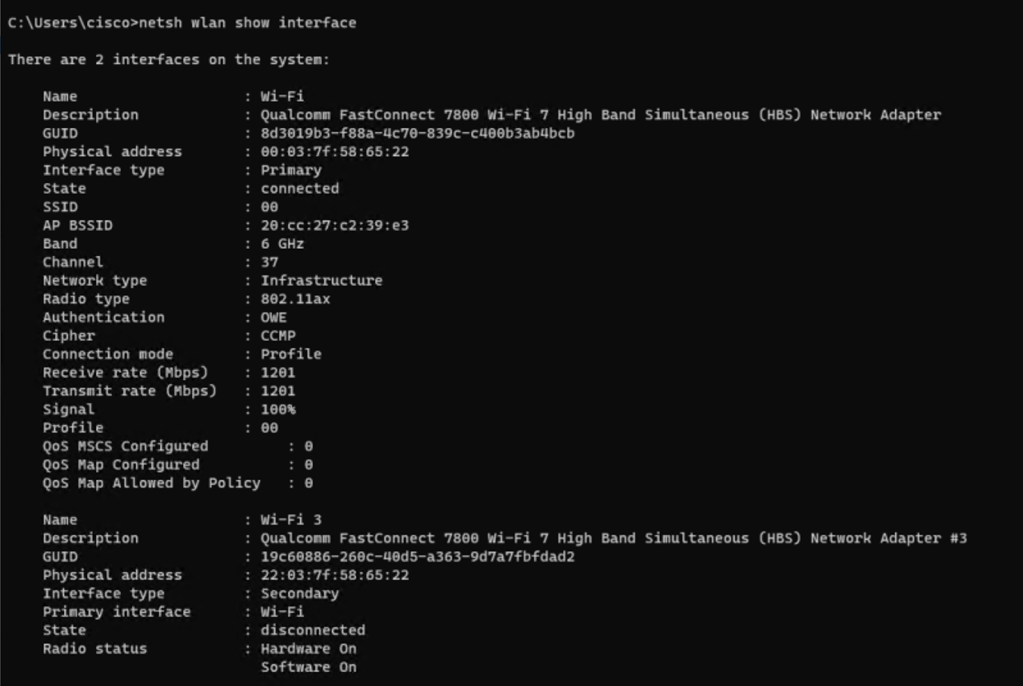
Client Statistics (Wi-Fi 7 vs Wi-Fi 6/6e)
Wi-Fi 7- Client has established 2 links-
LinkID 1- 5 GHz band
LinkID 2- 6 GHz band
Wi-Fi 6/6e- Client has established a single link on 6 GHz.
Related Blogs-

