A warehouse is one of the critical wireless deployment environment where there are quite a few factors that you need to consider while configuring and designing the wireless network. Following are the best practices while deploying wireless in a warehouse environment-
PLANNING:
Warehouse is an environment wherein a wireless engineer needs to be concerned about coverage and signal strength, capacity and throughput are less of a concern here. Here are few of the important concerns we need to consider while deploying wireless in warehouses-
- Client device capabilities
- Height of the ceiling
- Attenuation caused by the goods/produces stored in the warehouse
- Placement plan of the goods
Wireless Design and AP Placement:
As I mentioned in other articles, a wireless survey can be ignored for a SMB, office environment but with a warehouse it is very critical to conduct RF site survey to determine the correct AP locations. Exactly like the way I have mentioned in the High Density Wi-Fi deployments article I typically use the following methods-
- Existing Wireless Network: If there is an existing wireless network deployed in the environment, I typically determine the appropriate AP locations and count by performing a Predictive RF design using Ekahau based on the environment information and requirements gathered from the customer. Followed by this, I perform a Passive Site Survey to determine the performance of the existing network. I also try to align the new AP locations with the old ones to avoid new cable runs, Passive Site Survey helps significantly with deciding these AP locations.
- New Wireless Network: If it is a new wireless deployment, I typically determine the appropriate AP locations and count by performing a Predictive RF design using Ekahau based on environment information and requirements. Followed by this, an AP on stick with Ekahau helps confirm the design.
Client Device capabilities:
In warehouse environments, client device capabilities is an important factor because most of the scanners used do not have a 5 GHz radio and are only 2.4 GHz radio capable. Secondly, the scanners are low power devices so that also needs to be taken into consideration which I will explain in detail in following section.
Height of the ceiling/rack:
Typically the ceilings in warehouses are as high as 40 ft. and the racks are 30 ft. high. It is important to place the APs such that the radiation pattern created by the APs is at the ground level where the clients exist. Typical warehouse environments-

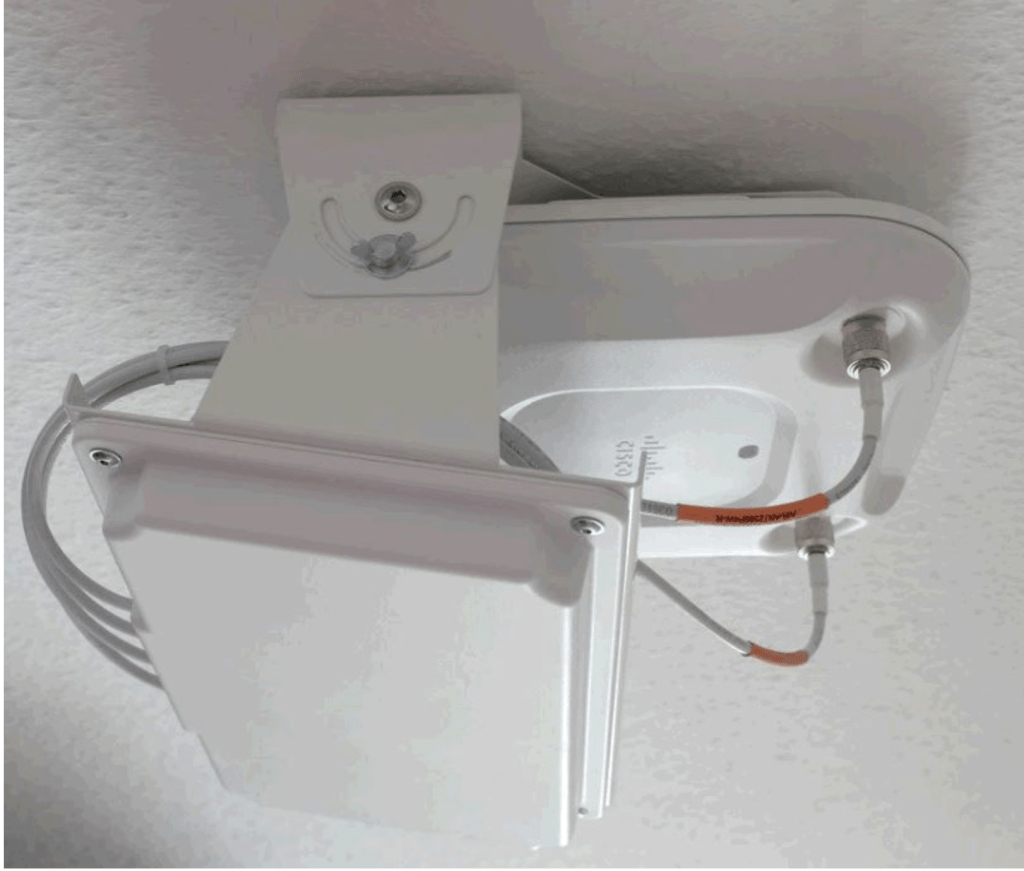
If the aisles are not long enough, I prefer using APs with external antennas. AP orientation and antenna selection is also equally important to determine that radiation pattern of the antennas is ideal. If the aisles are not too long I typically place the APs at the end, between two racks and mount them facing downwards. The Passive Site Survey and Predictive RF design should assist you in determining the locations for the APs.
If the aisles are too long and if a single AP is not sufficient to provide coverage to the whole aisle you might need to add APs in between the aisle too. A typical scenario like the following wherein the aisle is too long-

There are very rare cases wherein the aisles are so long that using multiple APs in single aisle is cost inefficient, you may consider using APs with sectored/directional antennas with the following orientation-

Attenuation causing agents:
Warehouses have metal racks which attenuate the RF signal significantly. The racks are mounted with goods which also attenuate the signal. It is important to collect this information from the customer so that you include these factors while performing the Wireless Predictive RF design.
Placement Plan of the racks:
While designing the wireless network it is very important to confirm with the customer that the rack placements are not going to be altered. This is very important to avoid post deployment issues with the customer.
CONFIGURATION CONSIDERATIONS:
- SSID Configuration: Typically, I would recommend using 2 SSIDs in such environments- Corporate Network and Scanner Network.
- Radio Settings: These are the important radio settings to be considered-
- Band Selection– If the corporate network does not consist of any legacy devices connecting to it, I will recommend configuring the Corporate SSID as a 5 GHz only SSID so that you can save as much as airtime on 2.4 GHz channels for the Scanner SSID. The scanners are legacy devices hence the Scanner SSID can be configured as a SSID with ‘Dual band operation with band steering’ so the scanners which are capable of connecting to 5 GHz radio are forced to connect it.
- Power Settings: APs set to maximum or static power setting result in excessive overlapping areas causing performance issues. It is recommended that you set the APs to automatic power reduction so that the APs adjust their power levels based on the decision made by the controller/cloud.
- Channel width: The channel width can be set to 20 MHz considering high number of APs in the environment.
- Channel Settings: I suggest using dynamic channel assignment so that the AP switches its channel when the interference on the channel it is broadcasting is jammed. Ensure that on 2.4 GHz band only 1, 6 and 11 are defined to be the usable channels.
- Minimum Bitrate: Minimum bitrate is a critical setting to ensure smooth roaming between APs and avoiding sticky clients. The minimum bitrate can be defined as 18 Mbps for the Corporate network but needs to be set to a lower value on the Scanner network to ensure that the scanners are able to roam well. Although typically I would recommend the setting to be 11 Mbps but based on the scanner device behavior you may use lower data rates. We need to find the correct setting for the environment which ensures that there are no dead spots and the client device roams well.
Related Blogs
Deployment Guides
Common Wireless Network Mistakes
High Density Wi-Fi Deployments
Education Institutes Wi-Fi Deployments
Quick Reads
Why are network admins configuring multiple WLANs?
Why channel planning is critical?
Common Reasons affecting wireless performance
 blogscisco.com