My Phone associated the WLAN and I open my apps and none of them work. I am sure you have been there and your first reaction was Wi-Fi is broken but the real culprit is DHCP.
DHCP (Dynamic Host Configuration Protocol)
When a client joins Wi-Fi, it requests for an IP address through the DHCP DORA process.
DORA Process
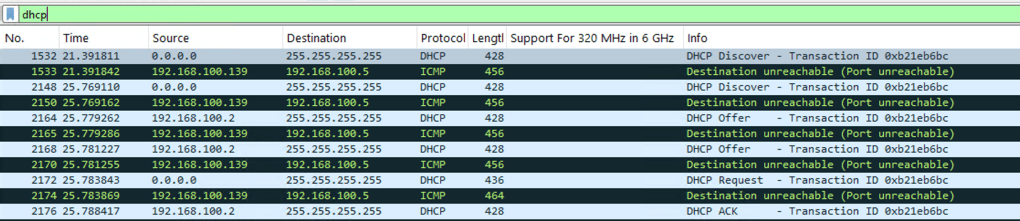
- Discover – Client broadcasts: “Is there a DHCP server who can give me an IP?”

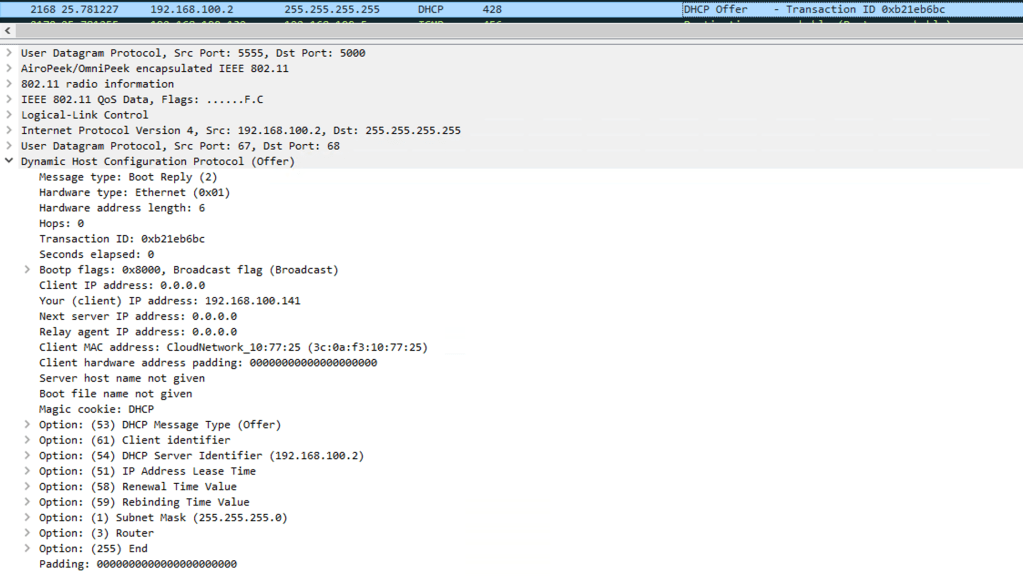
- Offer – Server responds with the complete IP information- IP address/ subnet mask/gateway/ DHCP server identifier/lease duration
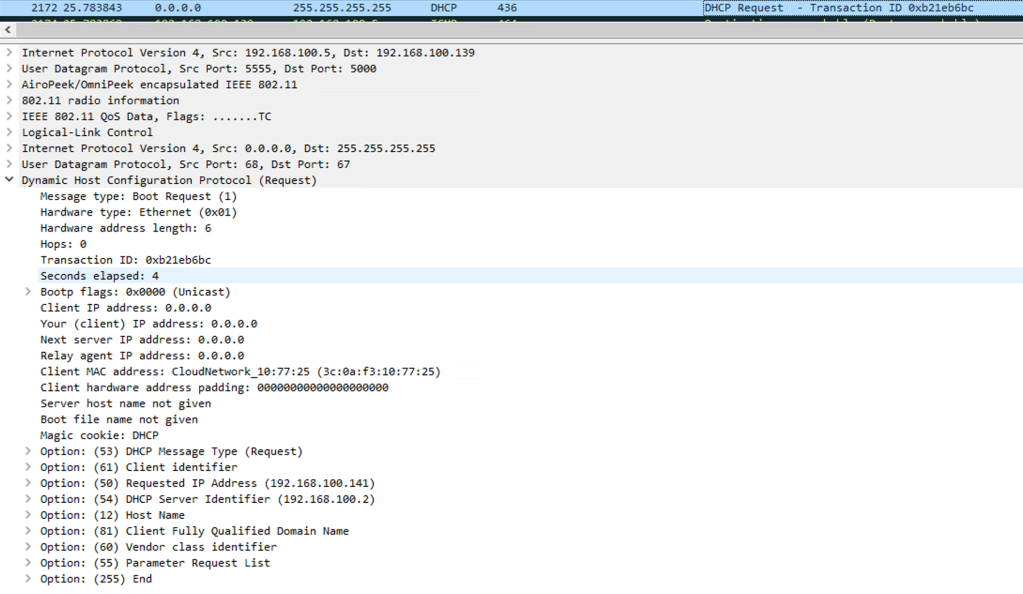
- Request – Client responds with, I would like to have this IP address, please reserve this for me.
- Acknowledge (Ack) – Server responds this is your IP address.
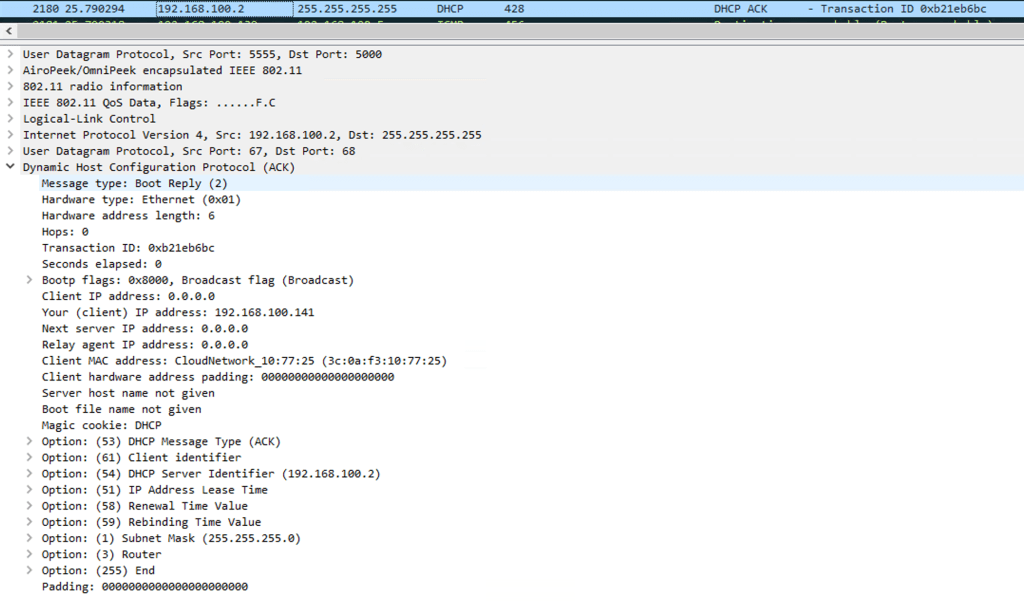
When the client gets an IP address, it can reach the internet and the LAN resources
Why do we run into DHCP issues?
- Scope exhaustion – More number of clients holding on to the DHCP lease than the available number of IP addresses in the DHCP pool.
- Improper lease times – Too short- results in quick lease expiration, too long- results in too many stale leases.
- Rogue DHCP server- Rogue DHCP server responds to the DHCP discover broadcast resulting in the client getting incorrect IP address.
- Broadcast storms on the wired network- DHCP discover not reaching the DHCP server because of some congestion on the wired network.
How to locate the issue?
- Device associates the WLAN but IP address shows 169.254.X.X
- Sniffer capture on wireless when filtered for ‘dhcp’ packets shows incomplete DORA transaction.
- Controller/AP logs shows client detected with 169.254.X.X IP address.
How to avoid DHCP failures?
- Scope the DHCP pools as per expected demand for IP addresses.
- Tune the DHCP lease times such that they are neither too short nor too long.
- Monitor DHCP failure events
Related Blogs
Wireless Troubleshooting
How to Troubleshoot 6 GHz 320 MHz cw client association?
Minor Outage: Wireless client cannot connect to the internet!!
Full Wi-Fi bars but my Youtube is buffering!!
Wireless for Beginners
Comprehensive Reads
 blogscisco.com