Flexconnect OEAP Mode Basics-
- Cisco APs are typically configured in Flexconnect OEAP mode when the AP and WLC are remote and reachable over WAN. (Used by remote users for connecting to HQ WLC)
- Flexconnect OEAP mode is not in Wi-Fi 7 APs.
- In Flexconnect OEAP mode, WLANs can be configured in both Central and Local switching as per requirement.
- This mode also allows end user to create local WLANs for each AP from the AP GUI.
- Centrally switched WLAN is used for Corporate network access while locally switched WLAN is used for internet access.
- Centrally switched traffic goes through CAPWAP tunnel while locally switched traffic is switched locally.
To configure a Flexconnect Mode Local Switching Service Set Identifier (SSID), here are the general steps to follow-
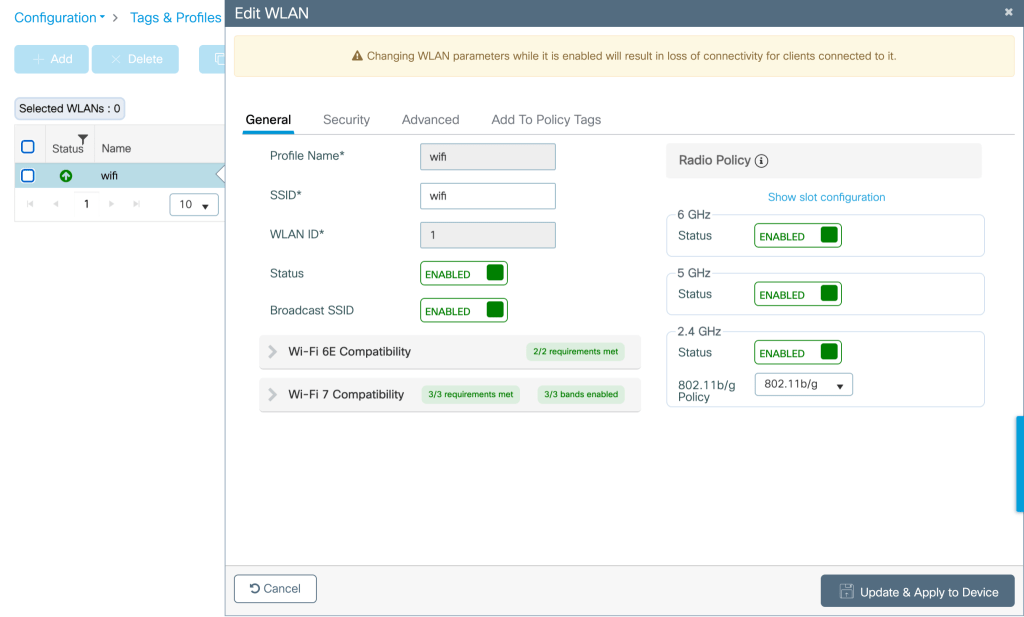
- Create a WLAN profile
- Create a WLAN Profile under- Configuration>Tags and Profiles>Edit WLAN
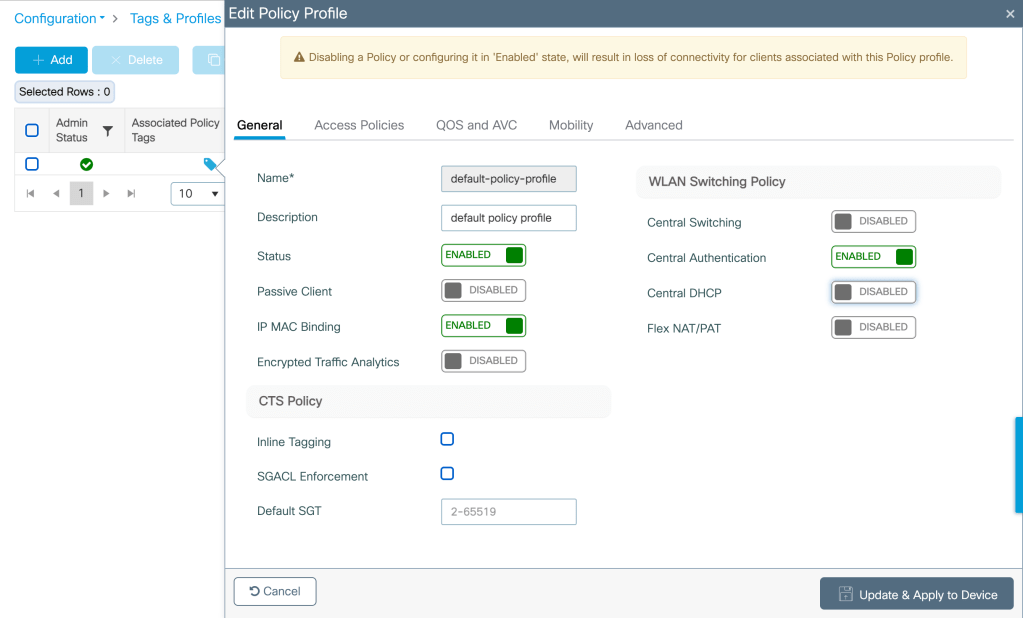
- Create/Modify a Policy Profile-
- Create the Policy Profile under- Configuration>Tags and Profiles>Edit Policy Profile>General>Select Local Switching/Local DHCP
- Define VLAN under- Configuration> Tags and Profiles>Edit Policy Profile>Access Policies>VLAN
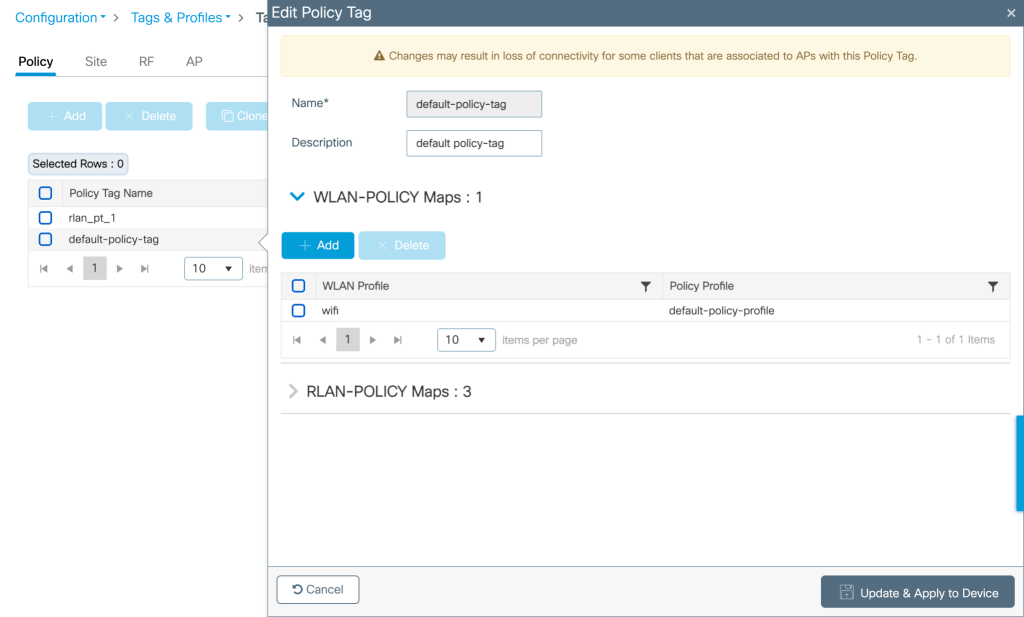
- Create/Modify Policy Tag- Map the WLAN to the Policy Profile created under-Configuration>Tags and profiles>Policy tag>Map WLAN to Policy Profile
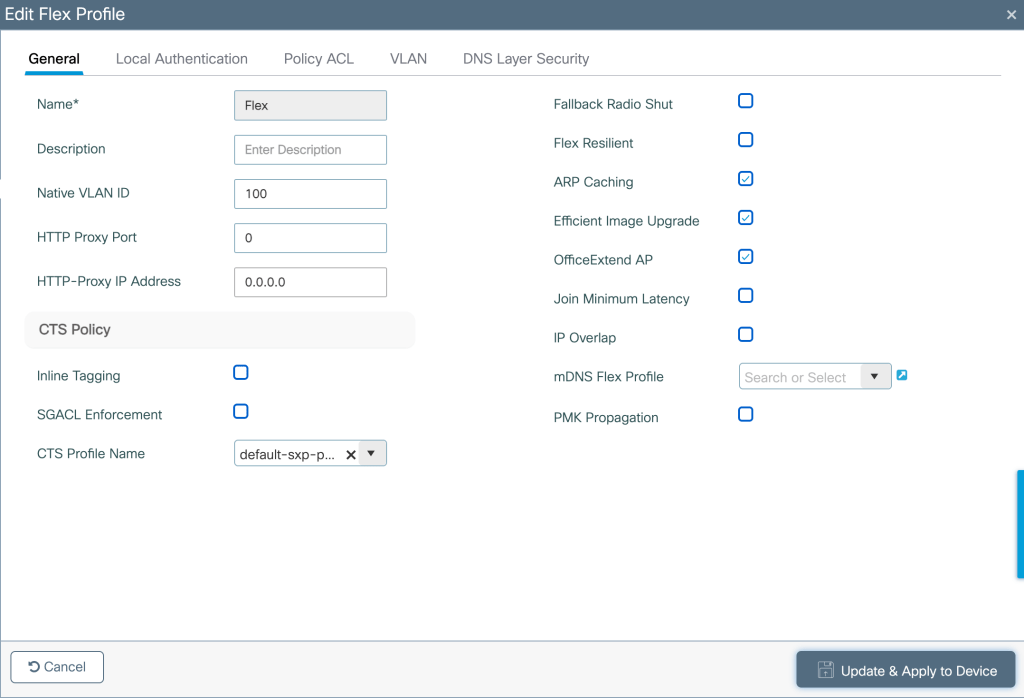
- Create a Flex profile and Site Tag-
- Configure Flex Profile under-Configuration>Tags and Profiles>Flex Profile.
- Define Native VLAN and select OfficeExtend AP.
- Configure Site tag under- Configuration> Tags and Profiles>Tags> Site Tags
- Unselect ‘Enable Local Site’ under Site tag and choose Flex profile configured.
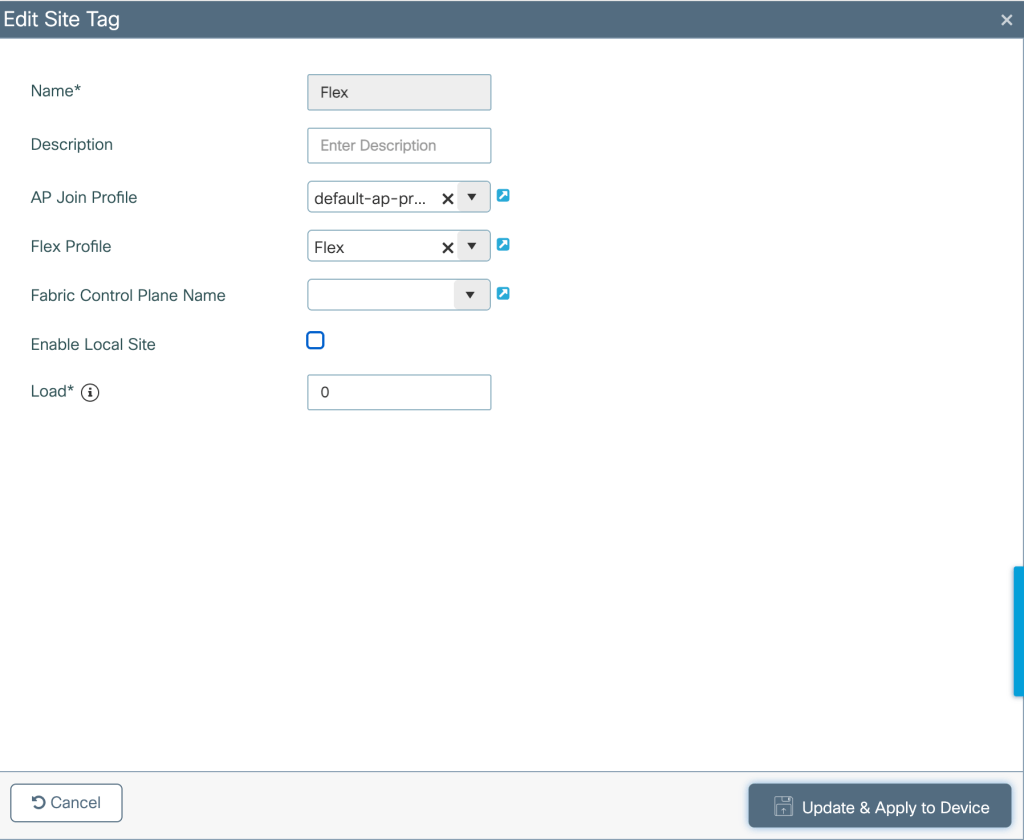
- Policy Tag/Profile assignment to WLAN- Map the policy tag and policy profile to the WLAN

- Policy/Site Tag assignment to AP- Map the policy/site tag to the AP

Configuring Local WLANs on AP GUI-
- Local WLANs on the AP can be configured by accessing the AP GUI (AP GUI can be accessed by browsing to 10.0.23.1 (on local network) or by browsing to the AP IP address if client device has centrally switched VLAN)
- Radios for 2.4/5 GHz band can be controlled under- Configuration>System

- Local WLANs can be configured under- Configuration>SSID

- DHCP server for Local WLAN can be configured under- Configuration>DHCP

Related Blogs–
Comprehensive Reads
Cisco Configuration Guides
Configuring 802.1x Authentication for Enterprise Wireless
How to associate my Wi-Fi 7 client on 6 GHz with 320M CW?
How to use Cisco AP as a sniffer?
 blogscisco.com