Throughput achieved can be affected by the following factors-
- RF environment (Noise, Interference, DFS..)
- AP locations
- AP mounting locations
- AP antennas
- AP spatial streams
- AP high throughput capabilities
- Channel planning
- Radio Band to which client is associated on the AP
- Channel width of the AP radio
- Client capablities
- Number of clients associated to the AP
- Distribution of the clients associated to the AP (Legacy, Wi-Fi6 Wi-Fi7 and so on)
- Applications being used by the clients
- RSSI of the client
- Roaming between the APs and so on…
Lets us understand how we can configure our Wi-Fi 7 APs to operate at maximum throughput and maximum spatial streams such that Wi-Fi 7 clients can achieve max performance possible.
How to configure High Throughput?
Configuring high throughput ensures that the AP will support maximum supported spatial streams and MCS data rates.
This setting is separately configured for each band under- Configuration>Radio Configuration>High Throughput>Band (2.4 GHz/5 GHz/ 6 GHz)
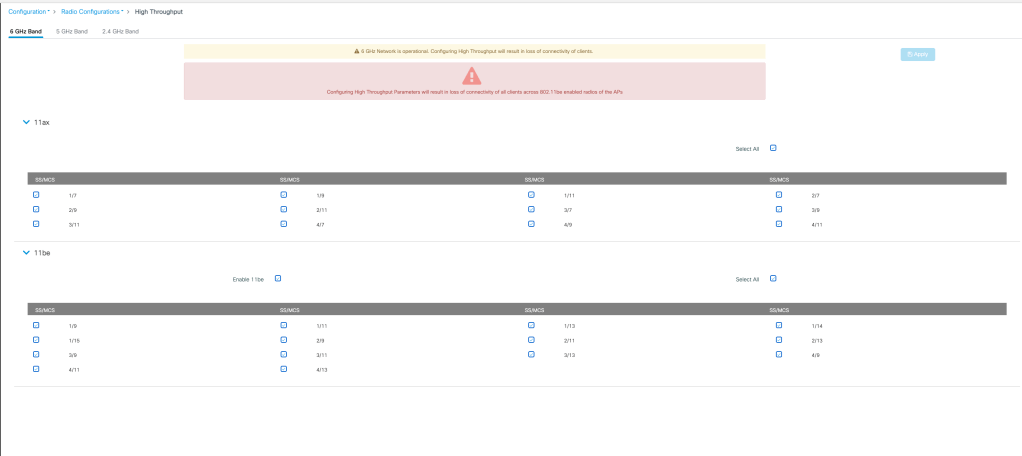
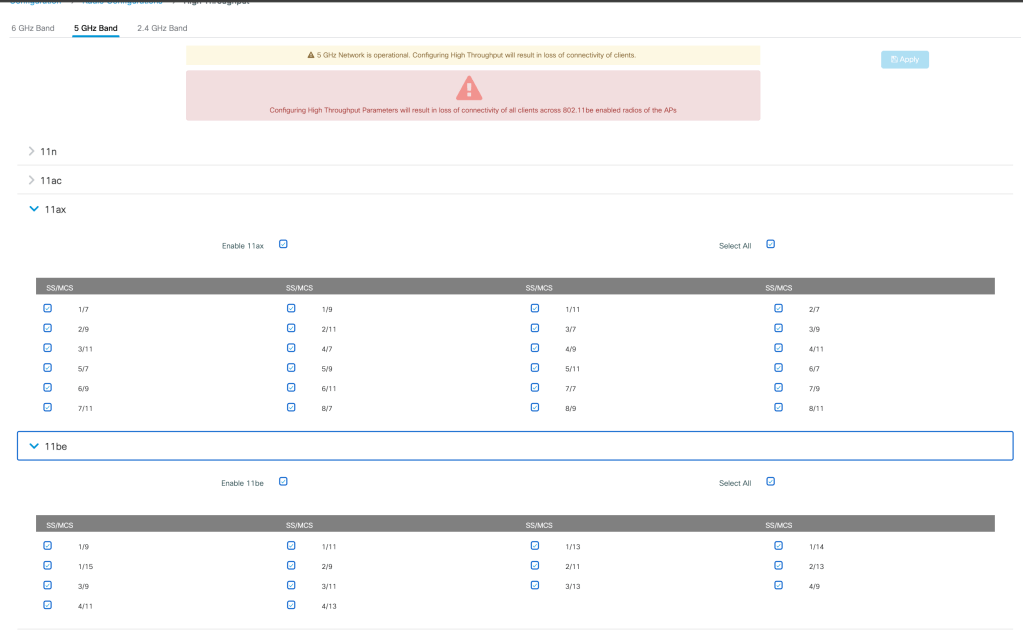

How to configure maximum spatial streams?
Number of spatial streams the AP will support is configured under radio profile under- Configuration> Tags and Profiles> Radio Profile> Number of antennas to be enabled (can be configured as 0 or 4)

The radio profile is assigned to each band in RF tag under-
Configuration> Tags and Profiles> Tags> RF> (Choose the radio profile for each slot for each band)
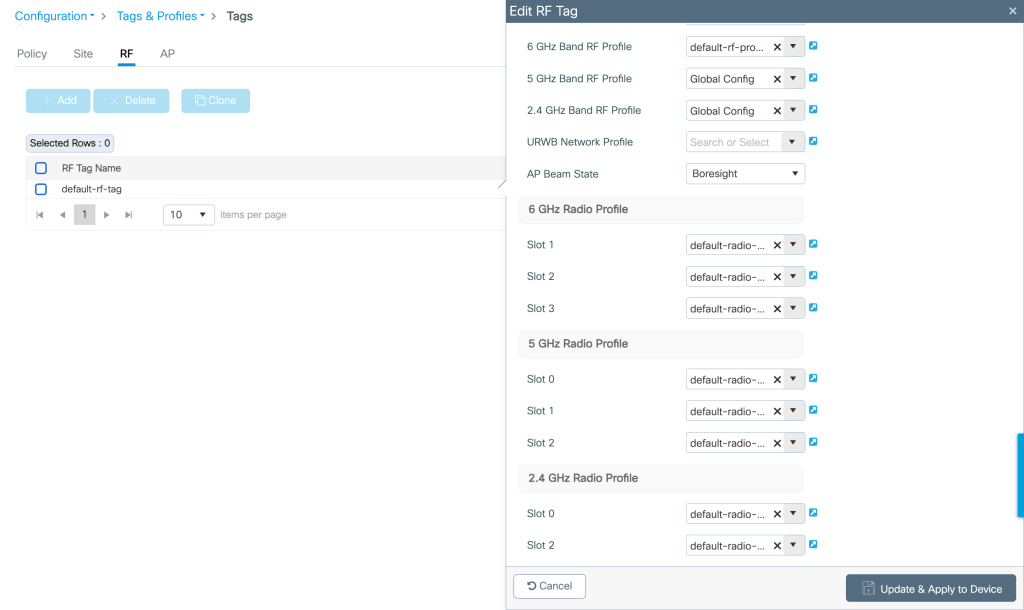
The RF tag is assigned to the AP under- Configuration>Wireless>Access Points>Edit AP>RF site tag
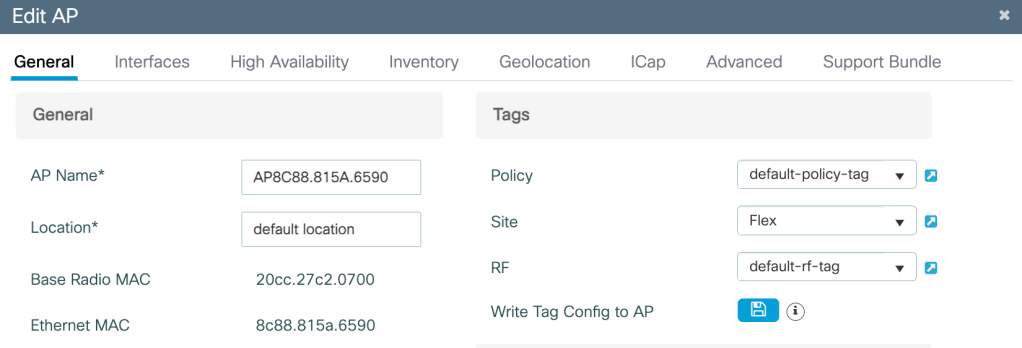
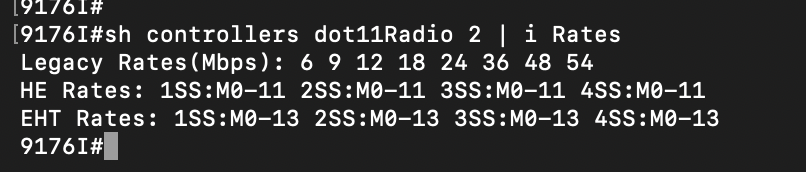
The number of spatial streams and MCS data rates supported by the AP can be verified on the AP cli using the command-
show controllers dot11Radio <slot number> | i Rates
How to configure a WLAN for a Wi-Fi 7 client to associate as MLO client?
Minimum requirement for configuring a WLAN for MLO client are as follows-
- Security Method- Layer 2>WPA3
- Encryption Method- GCMP 256
- PMF- Enabled
- AKM- OWE

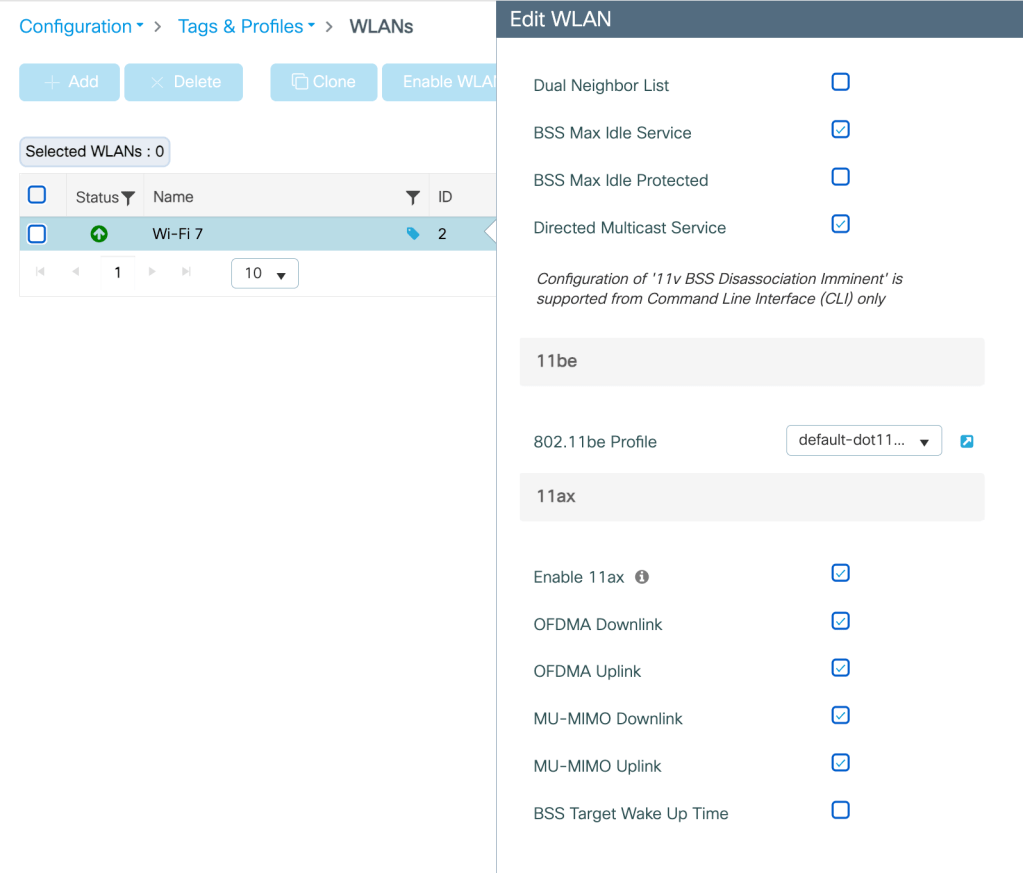
Additional Wi-Fi 6 Features that can improve performance
OFDMA Uplink/Downlink- Helps reducing latency for small packet size traffic.
MU- MIMO Uplink/Downlink- Helps improving performance for large packet size traffic.
Related Blogs-
Cisco Configuration Guides
Configuring 802.1x Authentication for Enterprise Wireless
How to associate my Wi-Fi 7 client on 6 GHz with 320M CW?
How to use Cisco AP as a sniffer?
How to configure Cisco AP in Local mode?
How to configure Cisco AP in Flexconnect mode?
How to configure WLAN for MLO client association in 9800 WLC?
 blogscisco.com