Cisco WiFi 7 APs support 320 MHz channel width in 6 GHz band in US domain. Many customers wonder although my AP is operating with 320 MHz channel width, my wireless clients are not associating with the same channel width. Lets list down the pre-requisites for a wireless client to associate with 320 MHz channel width-
- Wi-Fi 7 AP: You need to have a Wi-Fi 7 AP with 6 GHz radio enabled with 320 MHz channel width.
- Wi-Fi 7 client device: You need to have Wi-Fi 7 client device which supports 320 MHz channel width.
- Regulatory Approval: Both your Wi-Fi 7 AP and client device’s (country code) must support the use of the 6 GHz band and 320 MHz channel width in your physical location.
- WPA3 Security: The 6 GHz band requires WPA3 security or Enhanced Open, as WPA2 is not permitted.
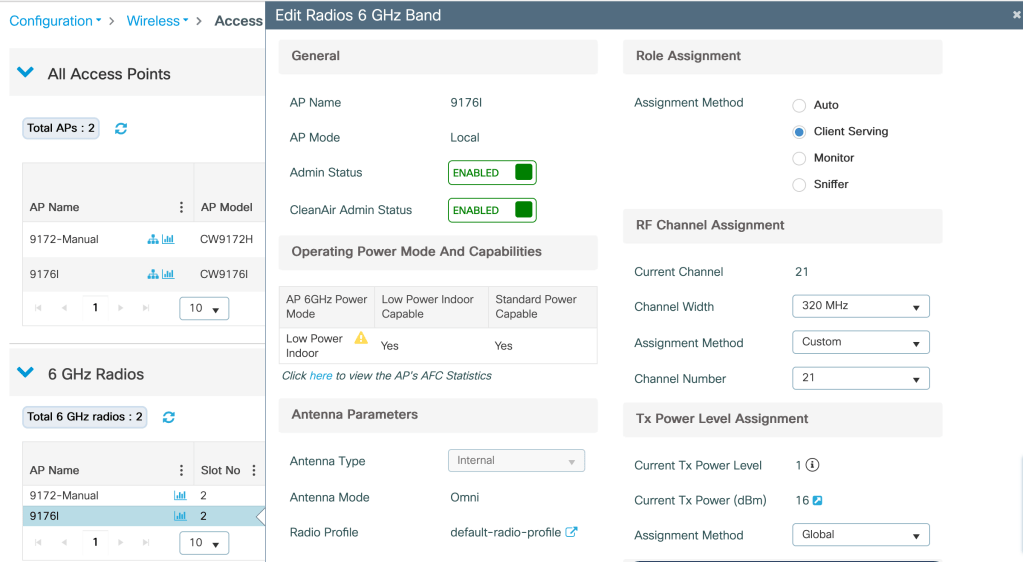
How to configure Cisco AP radio with 320 MHz Channel width?
Configuration>Access Points>6 GHz radios> Edit AP>Role Assignment>Client Serving>RF channel Assignment>Assignment Method>Custom>Channel width>320 MHz
Ensure that the primary channel on 6 GHz radio is set such that it supports 320 MHz channel width.
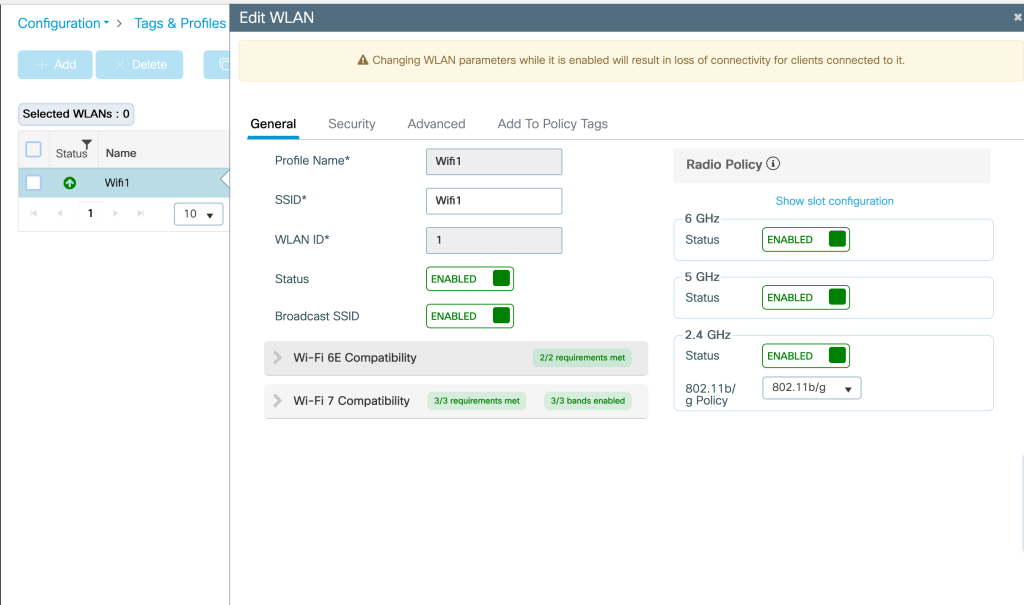
How to configure WLAN to support 320 MHz channel width on Cisco AP?
Configuration>WLANs>General>Radio Policy>Enable 6 GHz
Configuration>WLANs>Security>WPA3>Encryption>GCMP256>AKM>OWE
The above WLAN configuration is a bare minimum configuration needed, Encryption and AKM can be configured in multiple ways.

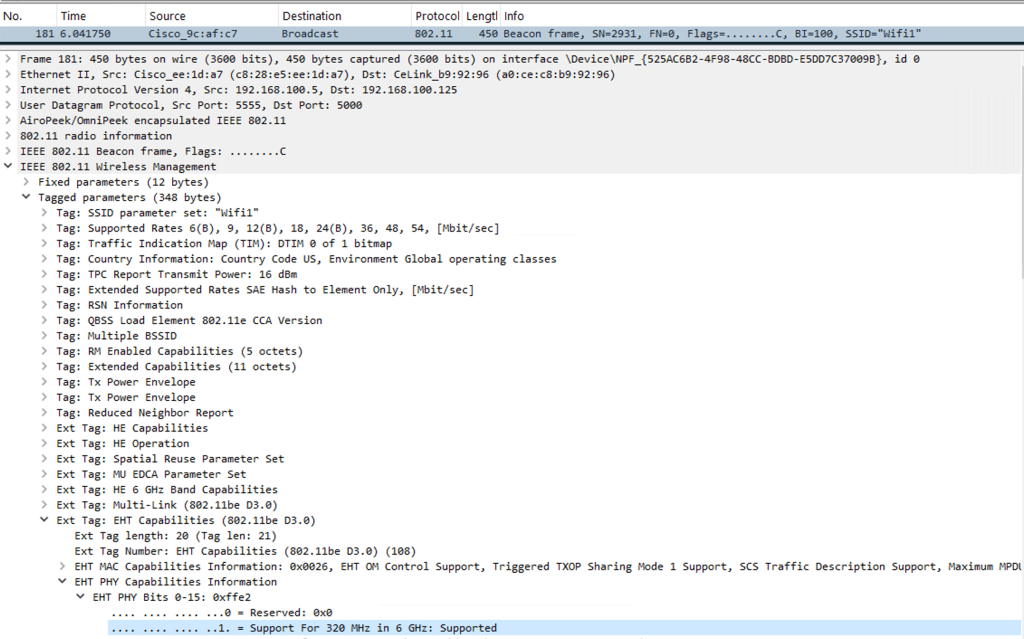
How to verify the channel width advertised by the WLAN using wireshark?
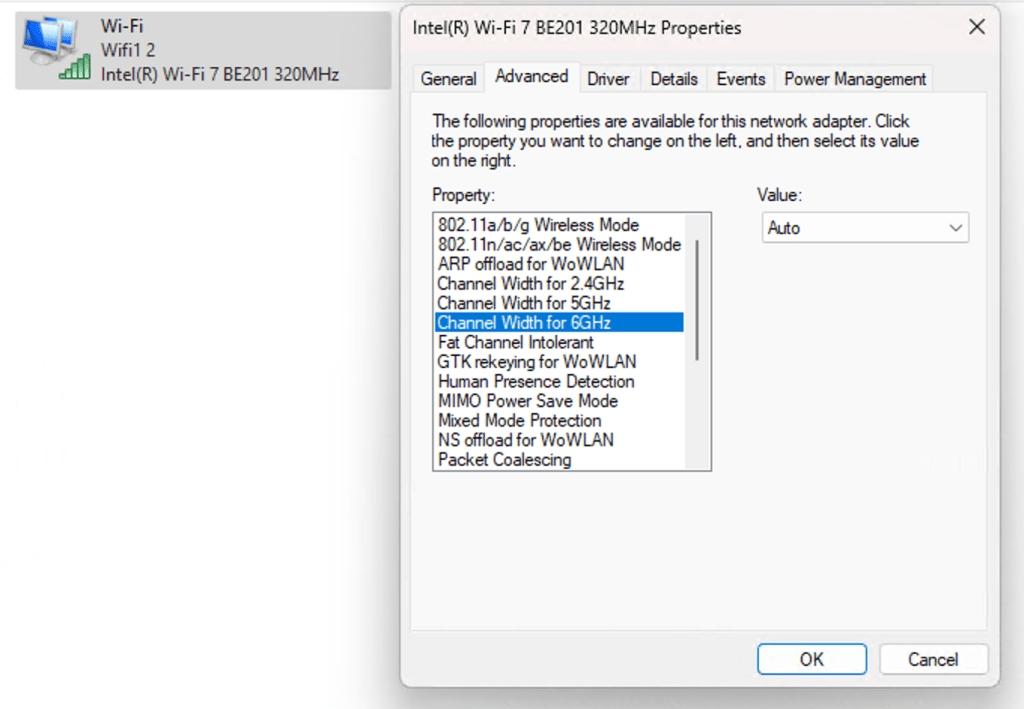
Wireless client Settings verification
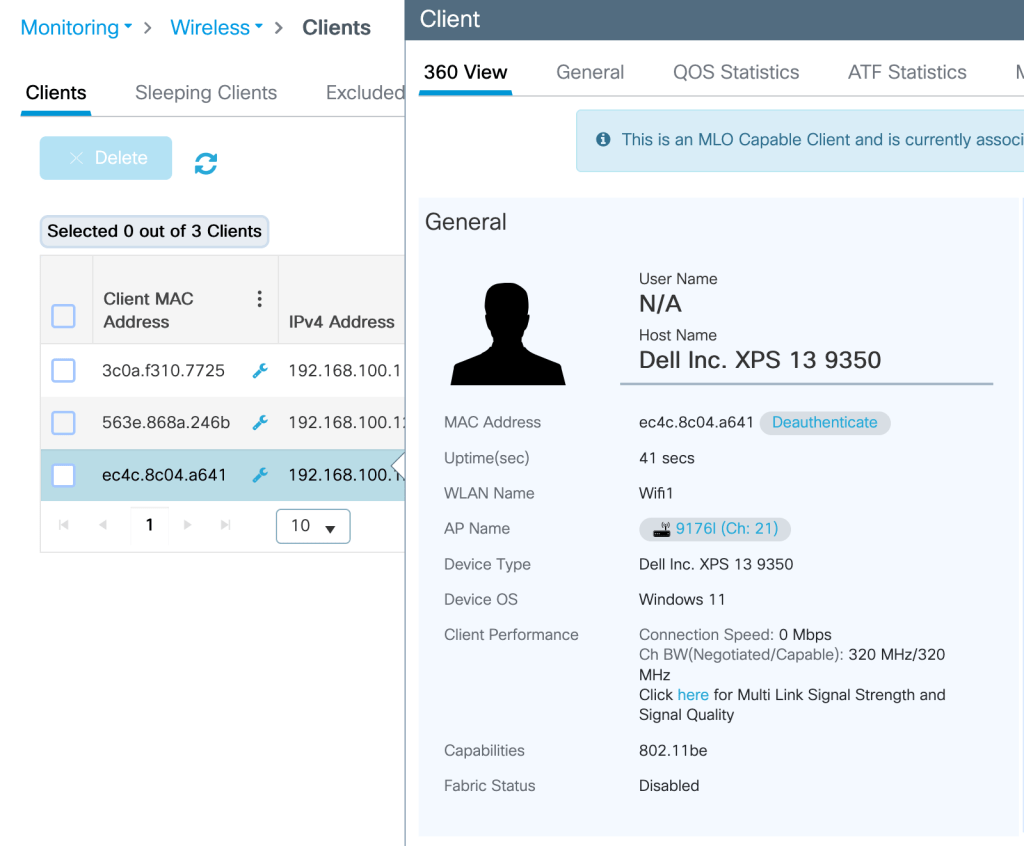
How to verify client has negotiated its association with 320 MHz channel width?
Related Blogs
Cisco Configuration Guides
How to associate my Wi-Fi 7 client on 6 GHz with 320M CW?
How to configure 320 MHz on higher channels?
How to configure 9800 WLC for max throughput and max spatial streams?
Configuring 802.1x authentication for Enterprise Wireless
Wireless Troubleshooting Guides
How to troubleshoot 6 GHz 320 MHz cw client association?
Cisco Wireless
 blogscisco.com