Education institutes typically covers k-12 through universities. There are not too many hurdles in deploying these wireless networks compared to warehouse or stadiums. For the amphitheaters, stadiums in the institute campus please refer to the following article.
PLANNING:
The criteria to be considered while deploying wireless in classroom environment are as follows-
- Applications that will be used in the environment.
- Number of clients connected in the environment at one given time.
- Client device capabilities (802.11 a/b/g/n/ac/ax, number of spatial streams)
In schools and universities, students have to use different applications in the classrooms. Although there will be too many students in a classroom connected to an AP browsing at the same time but the applications are not high throughput applications like streaming, VoIP. I typically determine the approximate AP count based on client count using the following formula-
AP count (based on device count)= Total number of 5 GHz clients connected together/25
If at all the students are going to use high bandwidth apps in the class please follow the AP count based on throughput model explained in the High Density Wi-Fi Deployments.
WIRELESS DESIGN AND AP PLACEMENT:
Education institutes do not have anything that causes a lot of interference or attenuates the signal a lot hence I typically skip the site survey, a Predictive RF Design is sufficient to determine the AP locations in most cases.
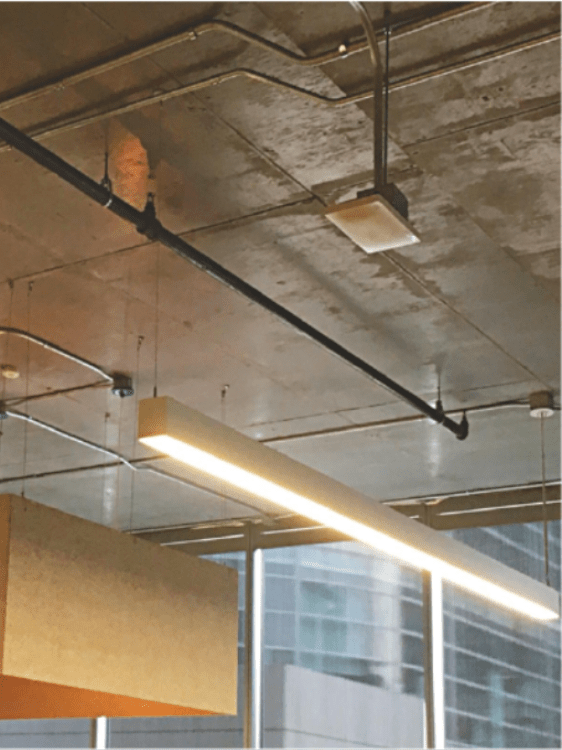
I usually use APs with omnidirectional antennas and mount them facing downwards like the following-
CONFIGURATION CONSIDERATIONS:
- SSID Configuration: It is important to merge as many SSIDs such than more airtime is dedicated to data over management traffic. An ideal scenario would be having one School SSID to which all clients connect including students, staff and NAC (Network Access Control) to assign policies to the client devices based on the authentication credentials. Other SSID can be the Guest SSID which can be scoped only to the APs where required. Most schools use a very easy approach which comprises of one Staff SSID and one Student SSID.
- Radio Settings: These are the important radio settings to be considered-
- Band Selection: It is important to force client devices to 5 GHz channel to get better throughput considering the high utilization on the 3 usable 2.4 GHz channels viz. 1, 6 and 11. I suggest using ‘Dual Band operation with Band steering’ wherein the AP forces a client device to connect to 5 GHz radio if it detects that the client device is capable of connecting to 5 GHz radio.
- Power Settings: APs set to maximum or static power setting result in excessive overlapping areas causing performance issues. It is recommended that you set the APs to automatic power reduction so that the APs adjust their power levels based on the decision made by the controller/cloud.
- Channel Settings: I suggest using dynamic channel assignment so that the AP switches its channel when the interference on the channel it is broadcasting is jammed.
- Minimum Bitrate: Minimum bitrate is a critical setting to ensure smooth roaming between APs and avoiding sticky clients. I highly recommend designing the network for 18-24 Mbps minimum bitrate.
Related Articles:
Common Wireless Network Mistakes
High Density Wi-Fi Deployments
Quick Reads
Why are network admins configuring multiple WLANs?
Why channel planning is critical?
 blogscisco.com