Consumer wireless locations like coffee shops, shopping centers, restaurants often have WLANs configured with Open auth/PSK/Web-auth. Enterprise work locations require secure internet access for employees and 802.1x authentication is the solution. We will be configuring 802.1x with ISE as the authentication server.
Configuring AAA server on 9800 WLC
9800 WLC configuration primarily consists of the following steps-
-Defining RADIUS server/server group and AAA authentication method.
-Configuring WLAN with 802.1x authentication method and map policy tag and policy profile
-Configuring policy tag and policy profile.
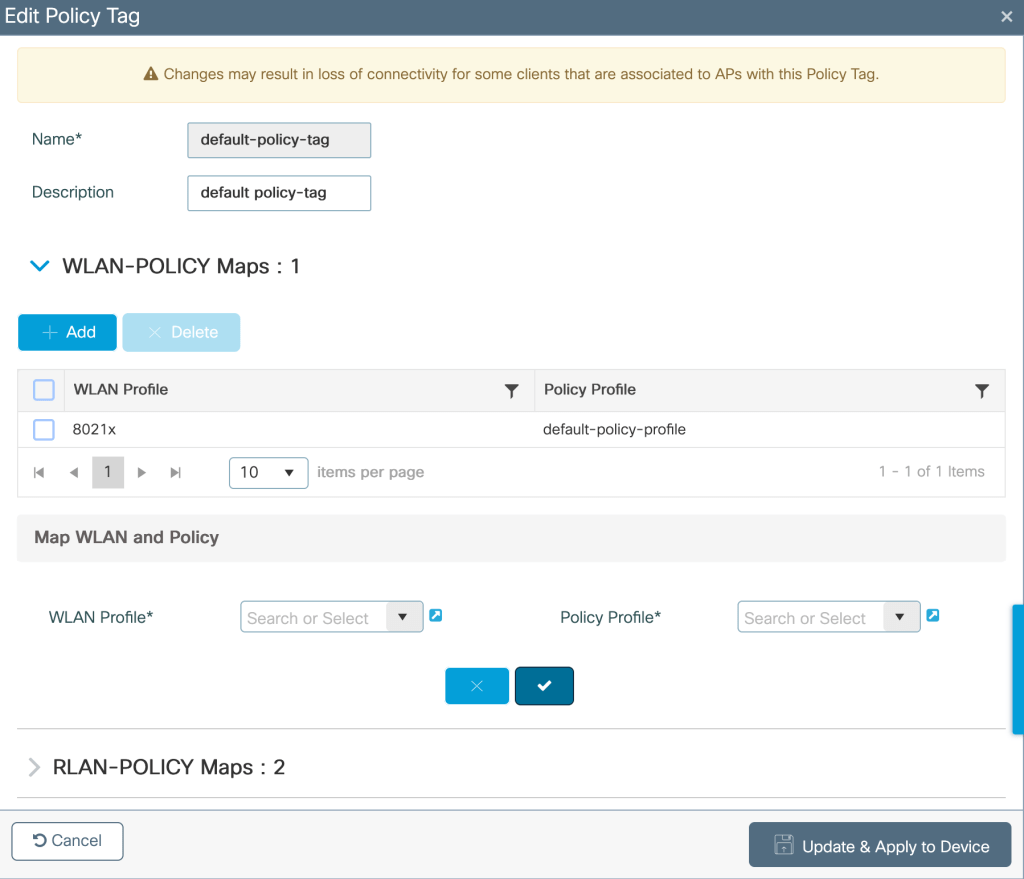
-Map the the WLAN and policy profile in policy tag.
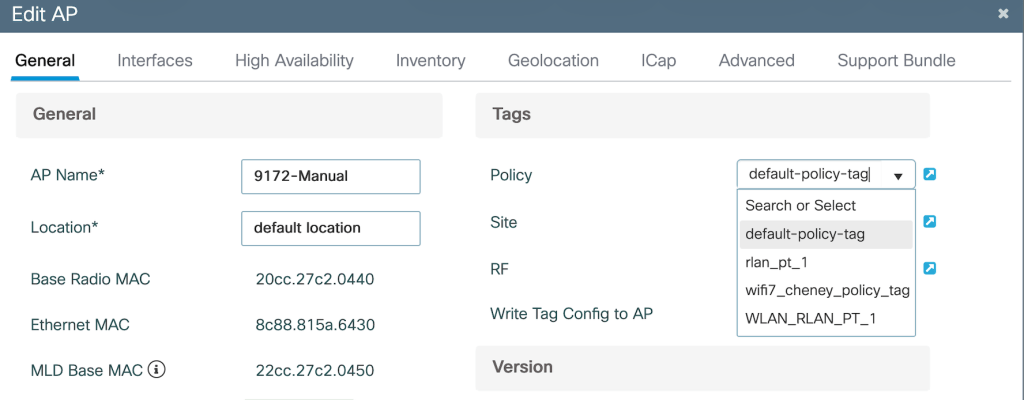
-Map the policy tag to the AP.
Configuration steps-
AAA server can be configured as follows- Configuration>Security>AAA
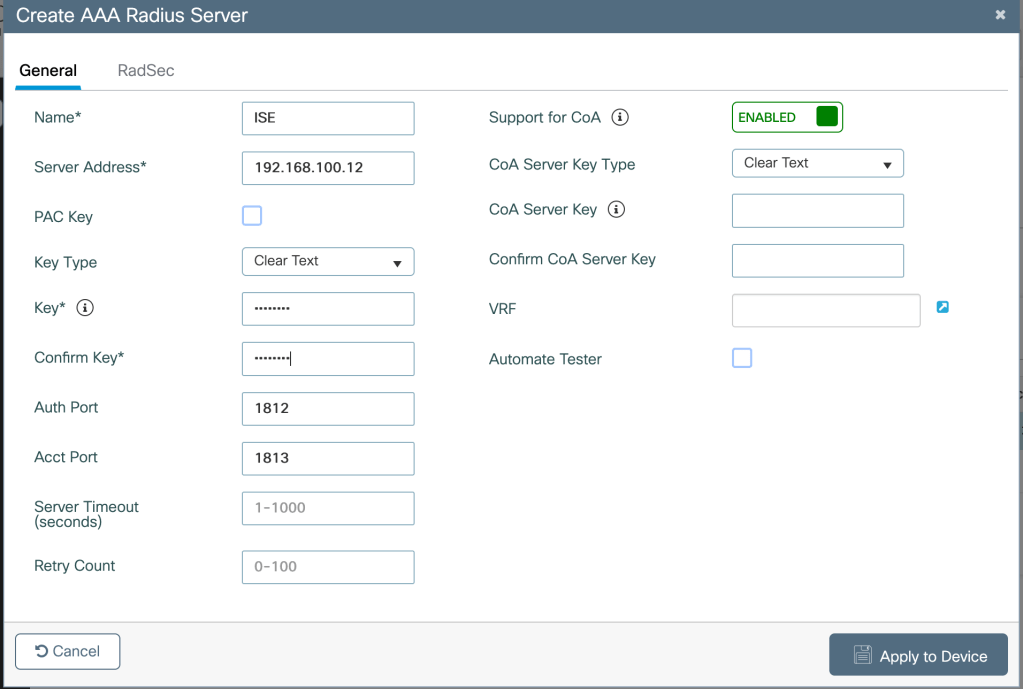
Define AAA server-Configuration>Security>AAA>Servers>RADIUS>Servers>Add
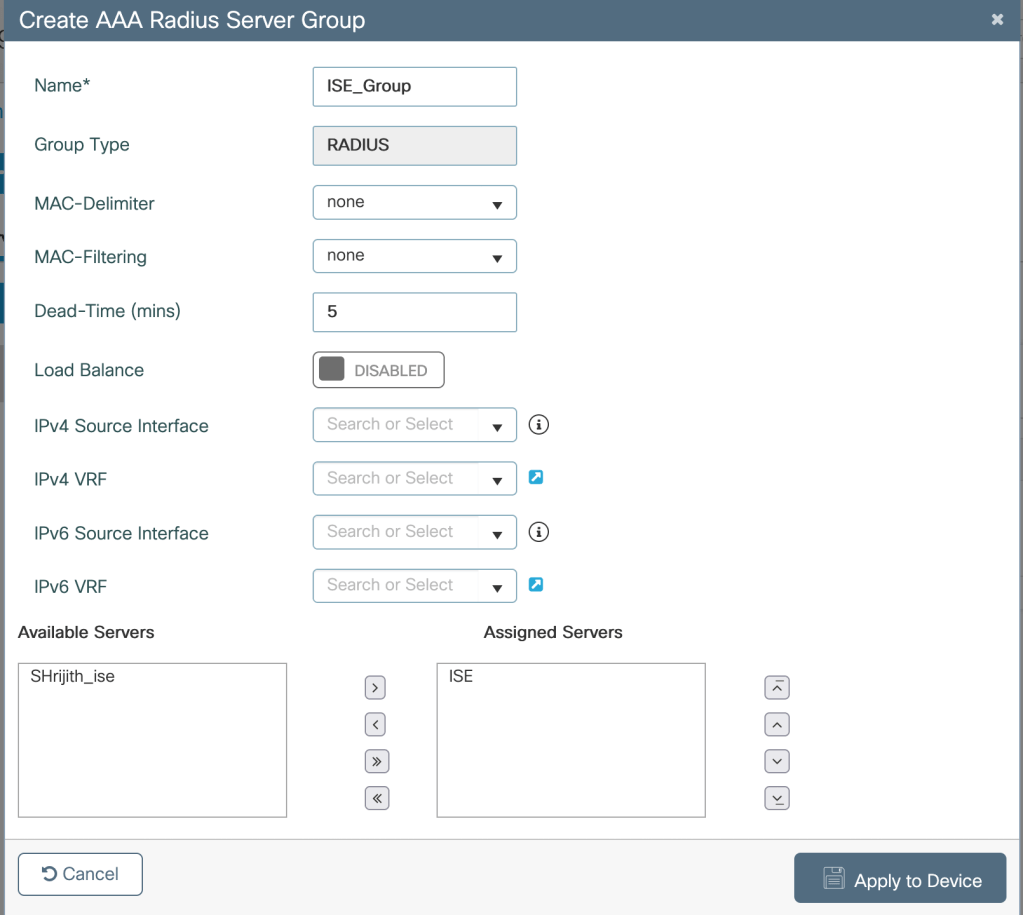
Creating a server group-Configuration>Security>AAA>Servers>RADIUS>Server Group>Add
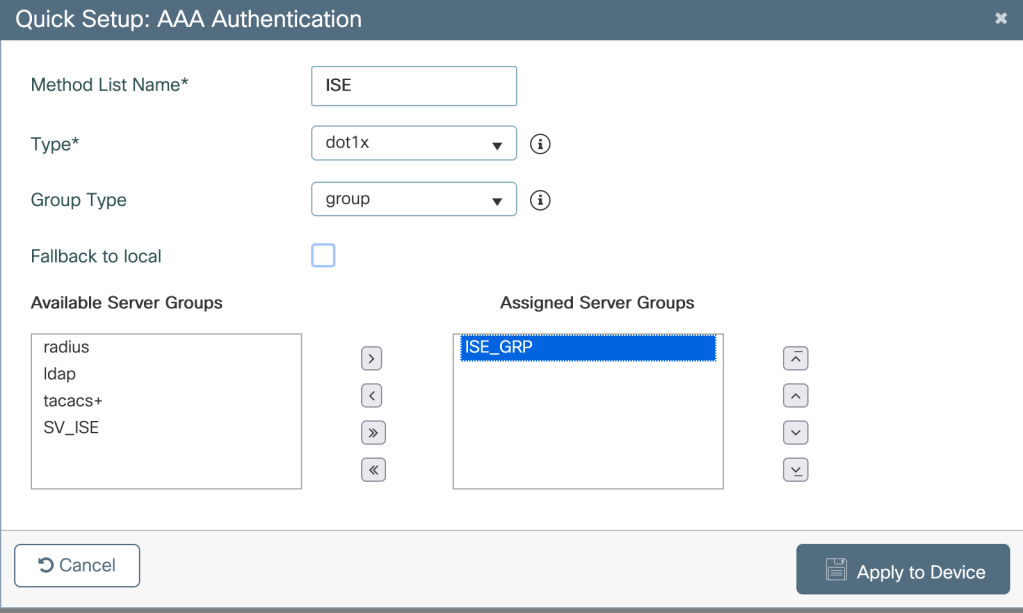
Creating AAA authentication method- Configuration>Security>AAA>AAA Method List>Authentication>Add
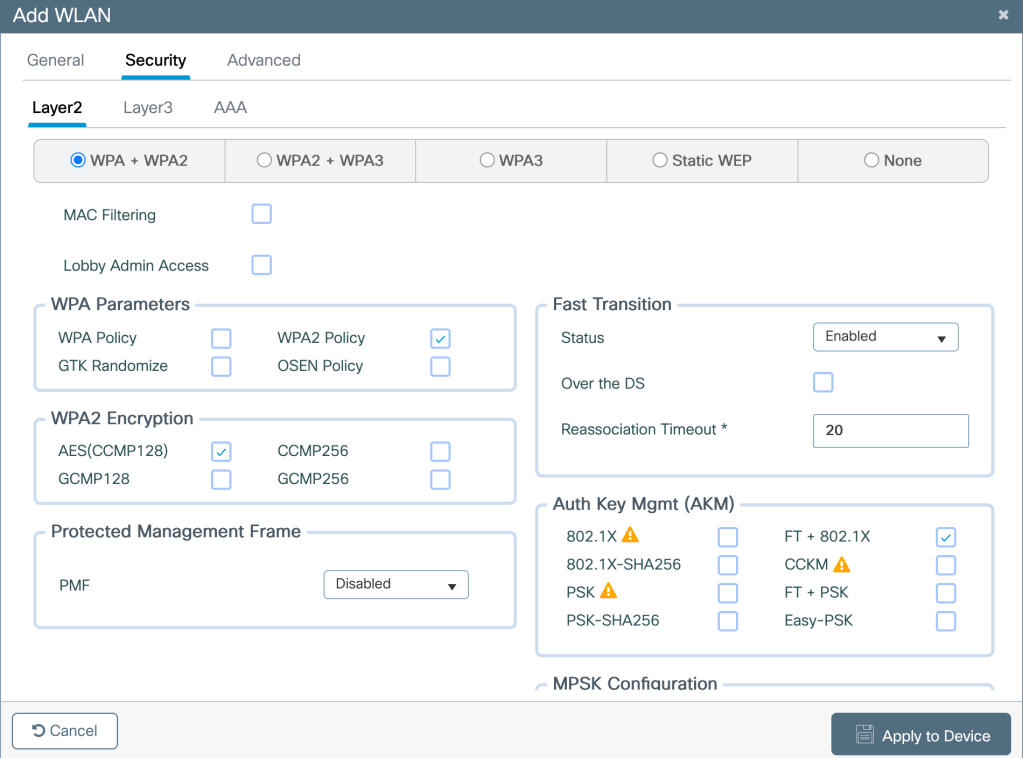
Creating a WLAN with 802.1x authentication method-

Mapping the WLAN to the Policy Tag and Policy Profile which are also mapped to the AP in WLC

Defining Switching policy and VLAN assignment under Policy Profile
Configuration>Tags and Profile>Policy
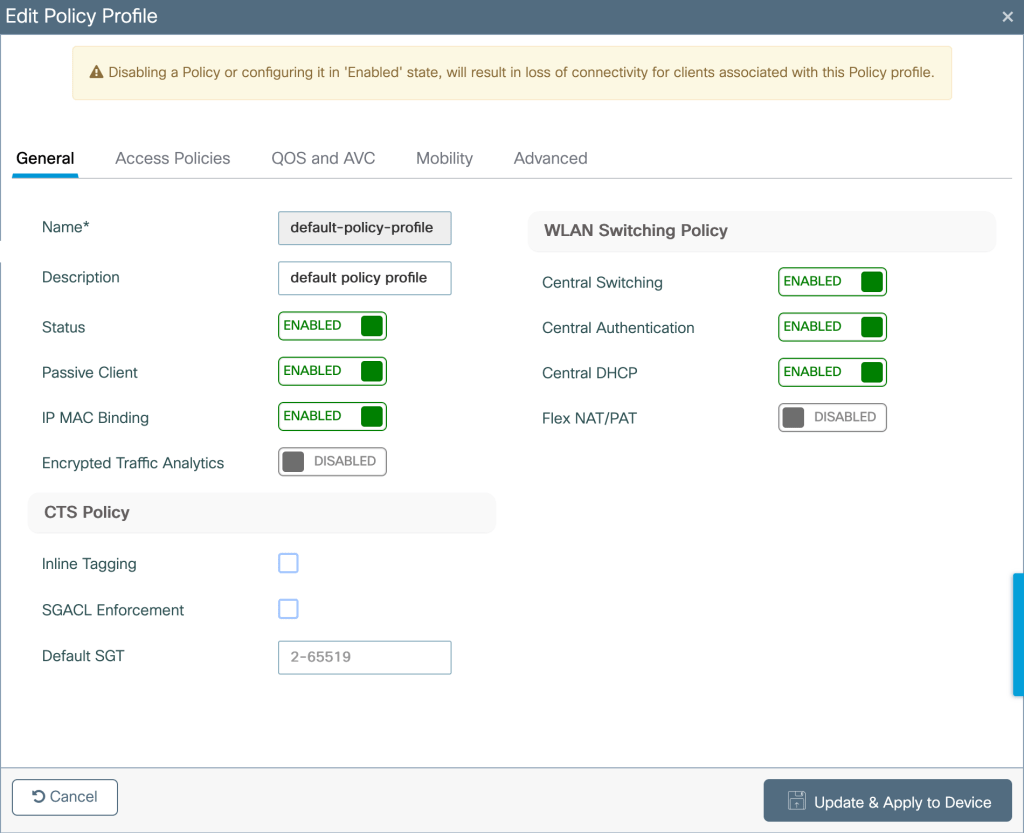
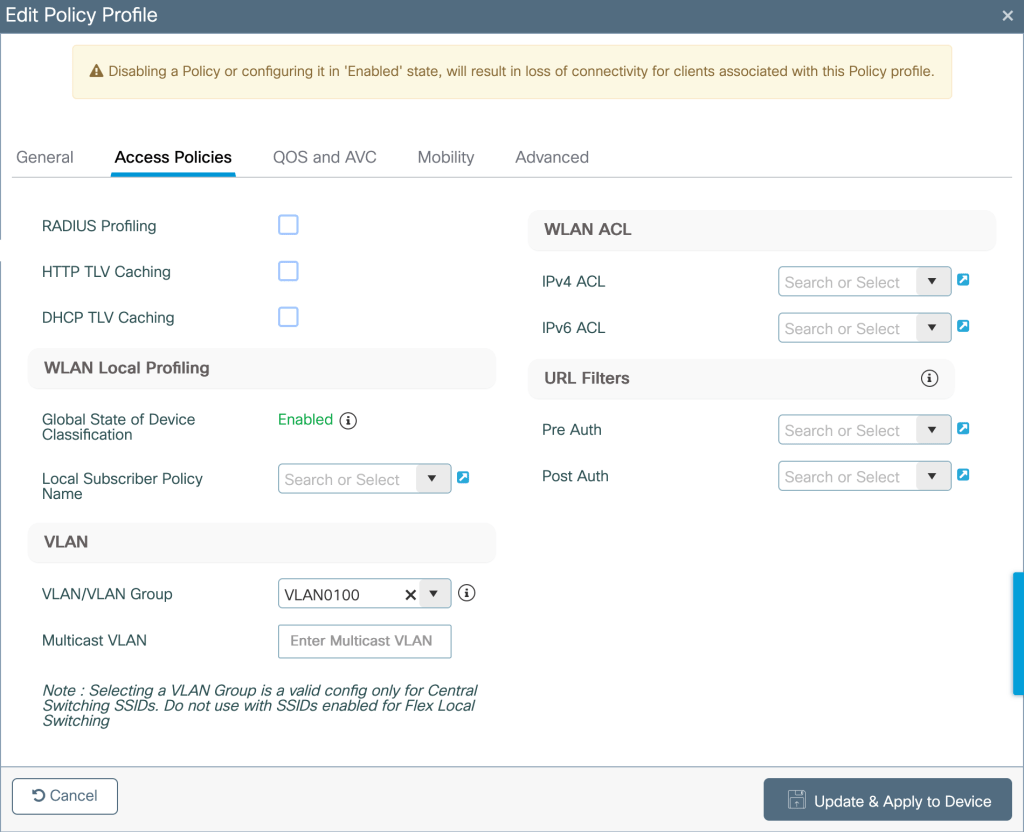
Configuring Policy Tags- Map the WLAN and policy profile to the Policy Tag under
Configuration>Tags and profiles>Policy tag
Mapping the policy tag to the AP- Configuration>Wireless>Access Points>Edit AP>Tags> Policy Tag
Configuring ISE server–
Configuring ISE consists of the following steps-
-Adding the WLC as a network device.
-Creating an identity (802.1x credentials)
-Creating authentication and authorization policy.
Configuration Steps-
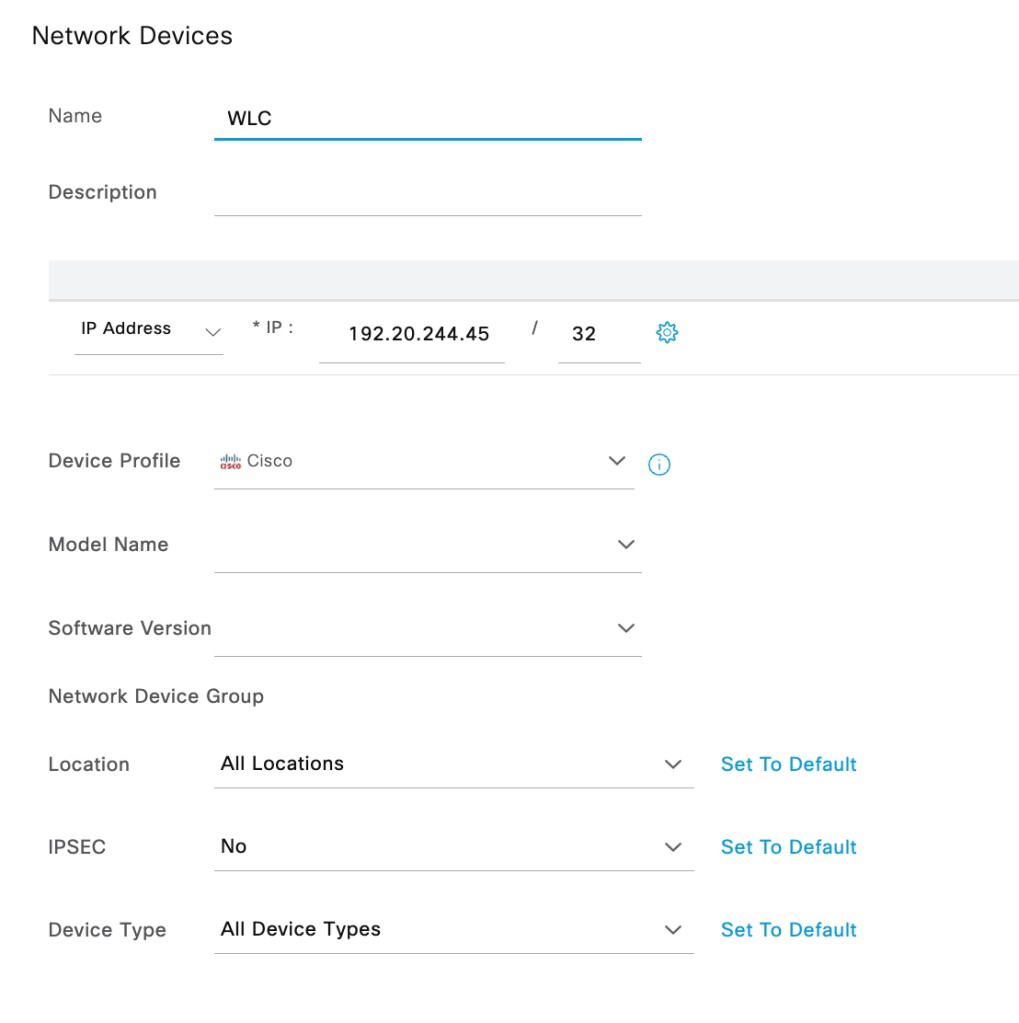
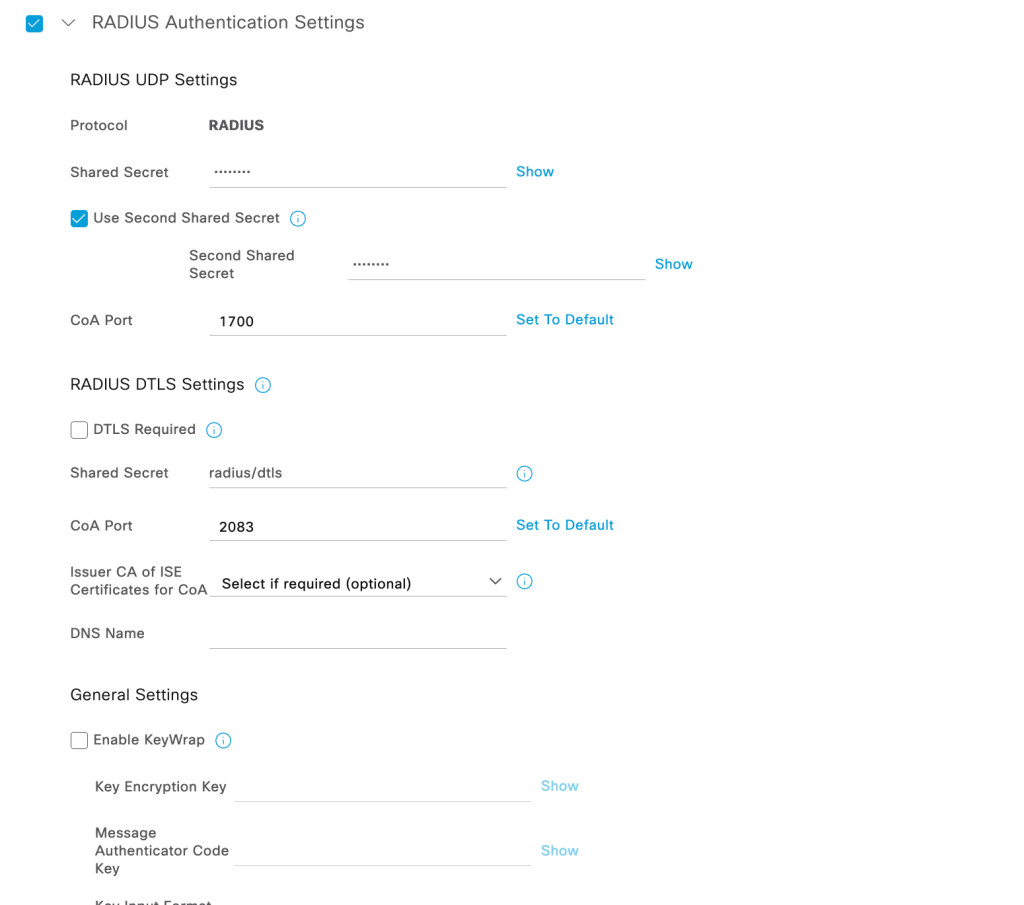
Adding WLC as a network device- Administration>Network Resources>Network devices>Add (Ensure that the shared secret matches the one configured on WLC under AAA server)
Creating a new identity/new user in ISE- Administration>Identity Management>Identities>Add
Create a user with username/password and map it to the required User Groups

Policy Sets- Policy sets defines a set of authentication and authorization rules. It can be configured under Policy>Policy Sets>Add policy
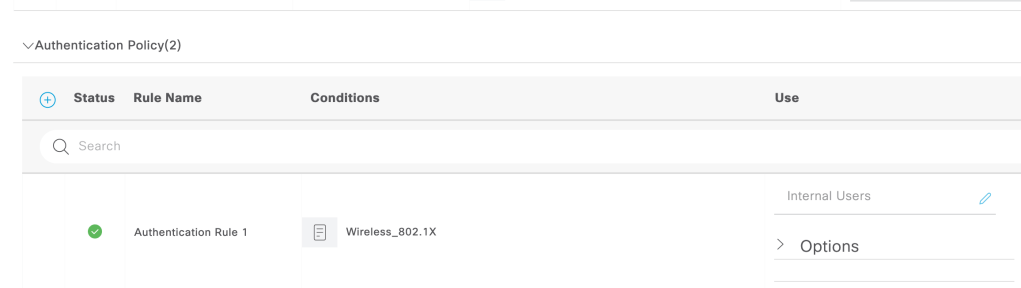
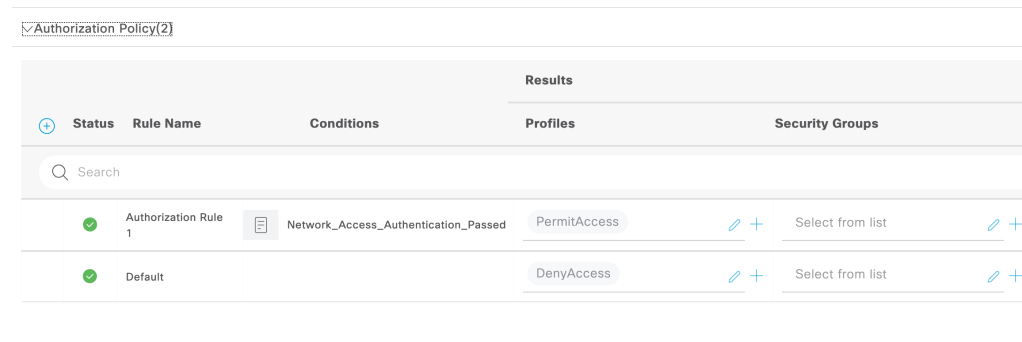
Creating a Basic Policy to allow wireless authenticated clients access to the network.
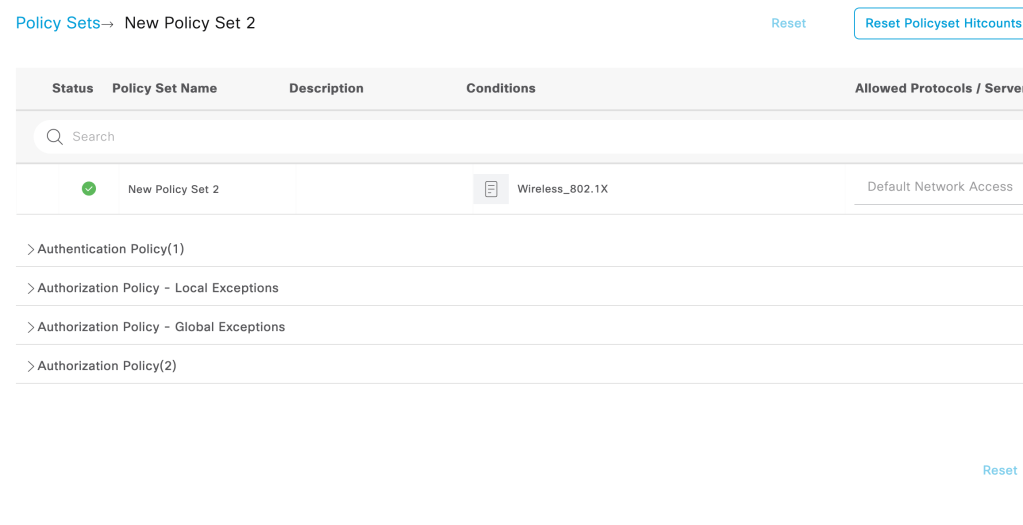
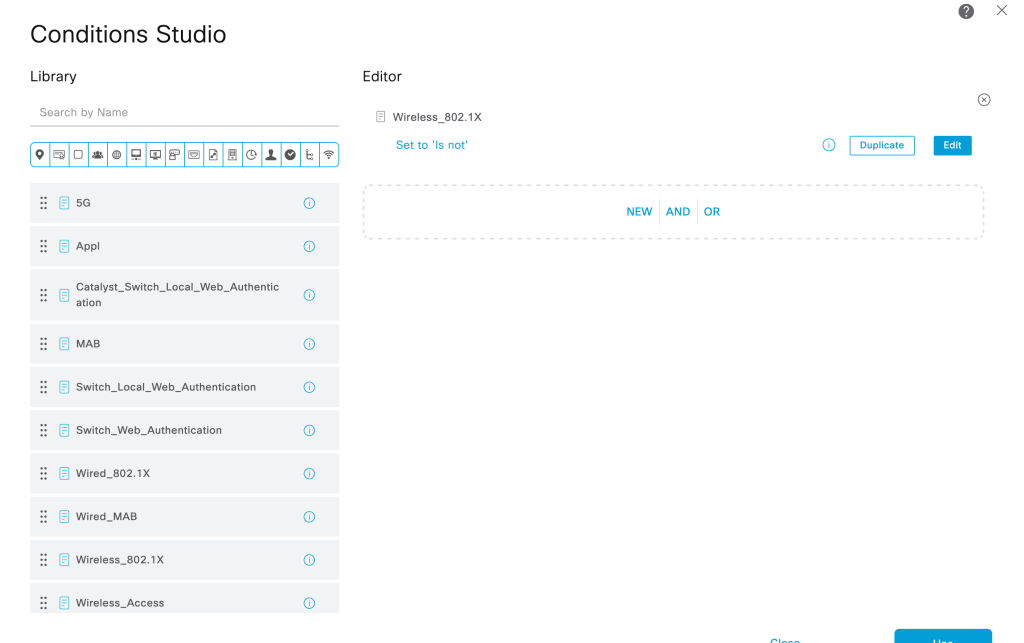
Creating an authentication rule for Wireless 802.1x authentication for ‘Internal users’. The user identity we created above is a part of Internal users
Creating a authorization rule which permits access to the network on authentication success.
Troubleshooting Wireless Authentication–
Navigate to Operations>RADIUS>Live logs
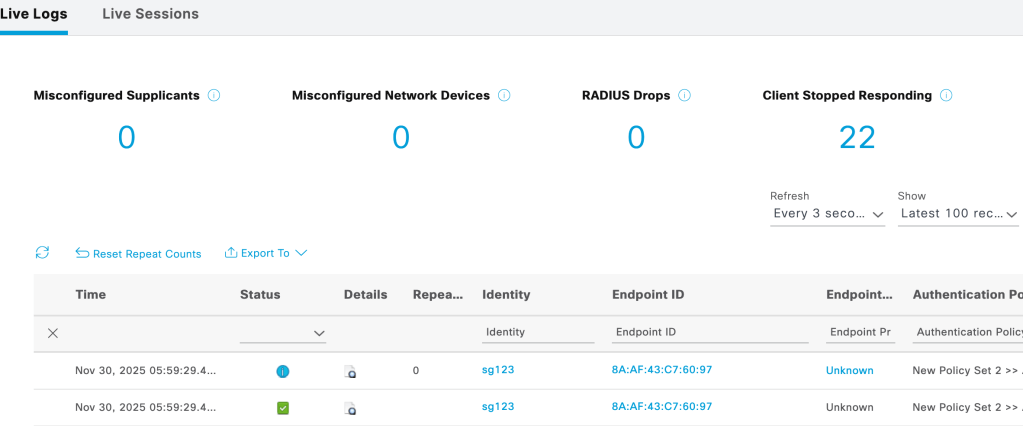
Live logs shows the Authentication policy/Authorization policy/Authorization Profiles/Identity group to which the client has been mapped to (as seen above and below)

Detailed Authentication report for each client authentication can be viewed under live logs, this log helps to troubleshoot at what stage or the reason for which the authentication of client failed.
Cisco Configuration Related Blogs
How to associate my Wi-Fi 7 client on 6 GHz with 320 MHz cw?
 blogscisco.com