Local Mode Basics-
- Local Mode is the default Cisco AP mode.
- Cisco APs are configured in local mode when the AP and WLC are reachable over the same LAN (On Prem scenario- APs and WLC).
- In local mode, WLANs are typically configured with Central switching and Central DHCP.
- All client traffic is sent from the AP to WLC encrypted within the CAPWAP tunnel.
To configure a Local Mode Central Switching Service Set Identifier (SSID), here are the general steps to follow
- Create WLAN Profile-
- Create a WLAN Profile under- Configuration>Tags and Profiles>Edit WLAN

- Create/Modify a Policy Profile-
- Create the Policy Profile under- Configuration>Tags and Profiles>Edit Policy Profile>General>Select Central Switching/Central DHCP
- Define VLAN under- Configuration> Tags and Profiles>Edit Policy Profile>Access Policies>VLAN
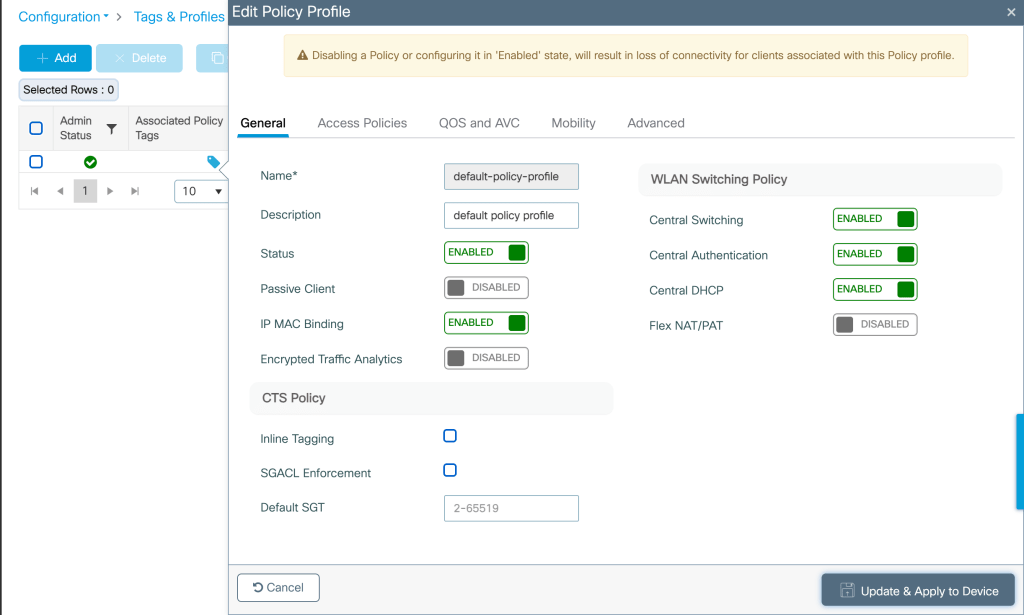

- Create/Modify Policy Tag- Map the WLAN to the Policy Profile created under-Configuration>Tags and profiles>Policy tag>Map WLAN to Policy Profile

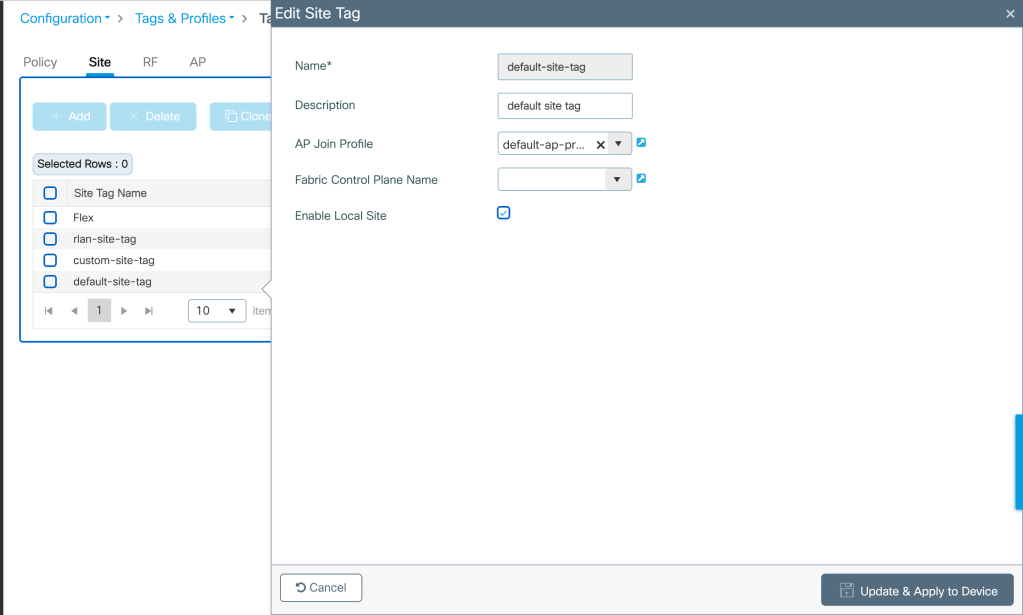
- Create a Site Tag- Select ‘Enable Local Site’ under Site tag
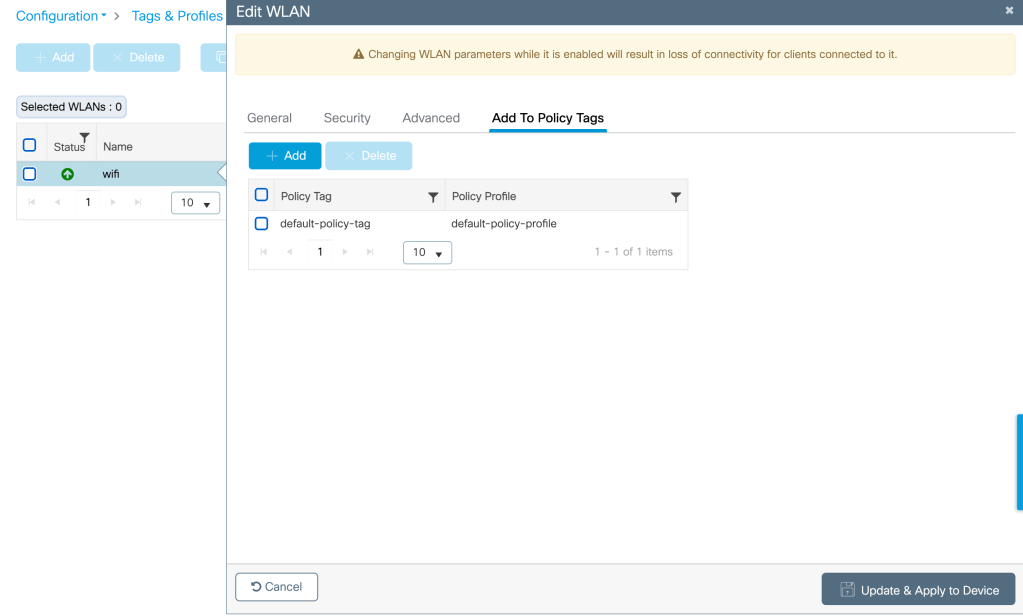
- Policy Tag/Profile assignment to WLAN- Map the policy tag and policy profile to the WLAN
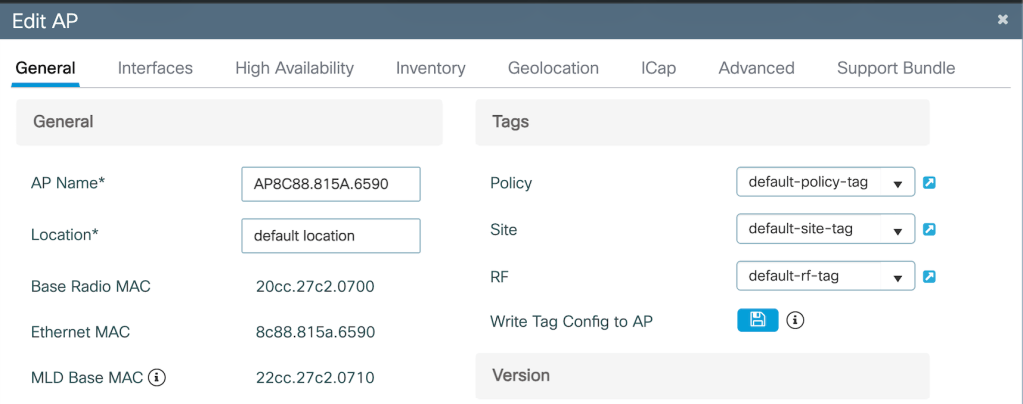
- Policy/Site Tag assignment to AP- Map the policy/site tag to the AP
Related Blogs–
Comprehensive Reads
Cisco Configuration Guides
Configuring 802.1x Authentication for Enterprise Wireless
How to associate my Wi-Fi 7 client on 6 GHz with 320M CW?
How to use Cisco AP as a sniffer?
 blogscisco.com